MrEditor
Free macOS editor that opens multi-gigabyte logs and CSVs almost instantly, with live grep, tail -f, diffing, and remote SSH file access.
🔗 Visit MrEditor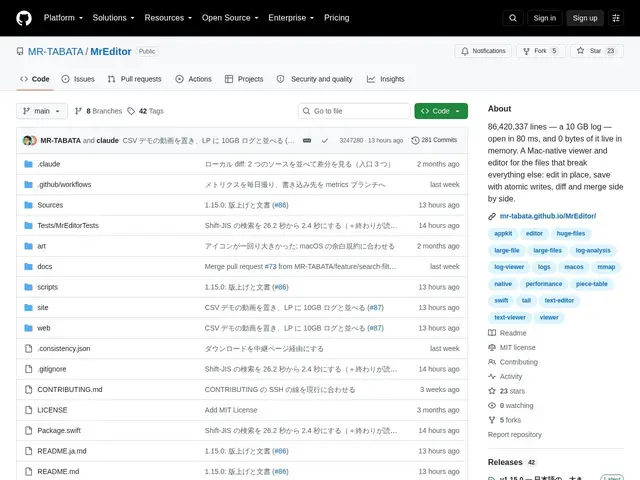
Description
Opening a multi-gigabyte log file in a normal text editor is often where things go wrong — the app hangs, memory spikes, or it just refuses to load the file at all. Most developers end up dropping to the terminal with grep and tail for anything that big, losing the convenience of a visual editor. MrEditor is built to make the visual editor itself handle files at that scale without flinching.
MrEditor is a native macOS editor that opens files up to 10 GB with roughly a 100ms first paint using memory-mapped file access, so scrolling through a huge log feels the same as a small one. It adds developer-specific tools on top: live grep for a filtered view without leaving the file, a tail -f mode for watching a log grow in real time, structured column views for CSV/TSV/NDJSON/JSON, character-level diff and merge, and regex search with lookahead/lookbehind. It handles multiple encodings (UTF-8, Shift-JIS, EUC-JP), can open files over SSH directly (ssh host:/path/to/file), and includes an optional AI error-diagnosis feature using your own API key. It's free and MIT-licensed.
💬 Our review
The short version: MrEditor picks a genuinely useful, specific lane — huge text files a normal editor chokes on — and builds developer tooling (live grep, tail -f, diff, structured CSV views) around that constraint instead of trying to be a general-purpose text editor.
Against BBEdit, which is the established Mac text editor for developers, MrEditor's edge is specifically large-file performance; BBEdit is more full-featured for everyday editing but wasn't built around the 10 GB case the way MrEditor was. Against terminal tools like lnav and klogg (both log viewers), MrEditor's advantage is being a proper GUI app with diff/merge and structured data views, at the cost of being macOS-only where klogg is cross-platform. Comparing it to Excel/Numbers for CSV viewing only makes sense at scale — MrEditor's structured view handles files those spreadsheet apps would choke on entirely. Being free and MIT-licensed with no catch is a strong value proposition; the main open question for any single-developer open-source tool is long-term maintenance, worth checking recent commit activity before relying on it daily.
💰 Pricing
📊 Global score
🤖 AI-enriched data
MIT, gratuit
Pros
Ouvre des fichiers de 10 Go en ~100ms grâce au memory-mapping
Live grep, tail -f, diff/merge caractère par caractère
Vue structurée CSV/TSV/NDJSON/JSON
Accès distant via SSH, gratuit et open source (MIT)
Cons
macOS uniquement
Projet mono-développeur, maintenance long terme à surveiller
Moins complet que BBEdit pour l'édition de code générale