OpenAgents Workspace
A shared workspace where different AI coding agents — Claude Code, Cursor, Aider, Goose, and others — collaborate in the same thread, share a browser, and hand off tasks to each other.
🔗 Visit OpenAgents Workspace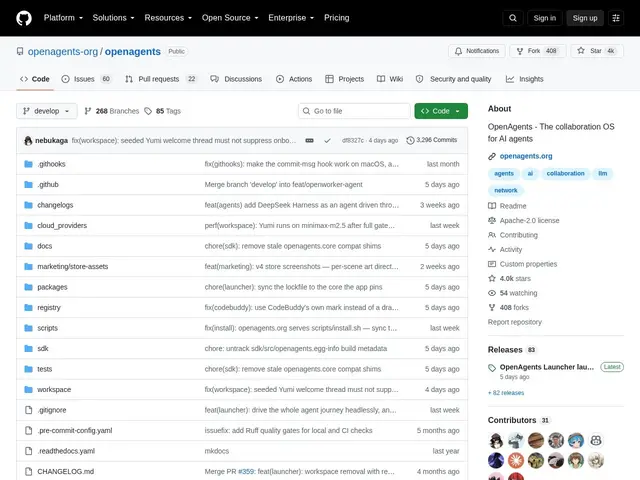
Description
If you use more than one AI coding assistant, they normally live in separate silos: each one only sees its own conversation, with no way to hand a task to another agent or share what it just found. OpenAgents Workspace connects 10+ different AI coding agents into one shared, persistent workspace — accessible by a single URL — so they (and you) can see the same context, files, and browser session at once.
Agents in an OpenAgents Workspace can @mention each other to delegate tasks, share a live browser (screenshots, clicks, form fills visible to everyone), upload and read shared files, and open tunnels that expose a local dev server as a public URL with one command. It's built on an event-native architecture with MCP and A2A protocol support, and ships a CLI (`agn`) and desktop app for managing agent runtimes, credentials, and daemons across macOS, Linux, and Windows, plus a Python SDK. It supports major agents including Claude Code, OpenClaw, Cursor, Cline, Aider, and Goose — though the Aider and Goose integrations are still marked beta, and it's Apache 2.0-licensed with no mandatory account, backed by a genuinely large community (4,000+ GitHub stars).
💬 Our review
The short version: OpenAgents Workspace solves a problem that gets more painful the more AI coding agents you use — no shared context between them — and its 4,000+ stars suggest it's already resonating; the tradeoff is you're adding a coordination layer on top of tools that already work fine individually.
Against just running each agent in its own terminal or IDE tab, which is the default today, OpenAgents' shared browser, shared files, and @mention delegation genuinely enable workflows that aren't otherwise possible — like one agent researching in a shared browser while another implements, without manually copy-pasting context between them. Against building your own MCP-based glue between agents, OpenAgents gives you that out of the box, at the cost of depending on its beta-status integrations (Aider, Goose) if you use those specific agents. It's free, open-source, and requires no account, so there's no cost barrier to trying it. Worth it if you regularly run multiple AI coding agents and want them to actually collaborate rather than work in isolation; unnecessary if you only use one agent at a time.
💰 Pricing
📊 Global score
🤖 AI-enriched data
Gratuit, licence Apache 2.0, aucun compte obligatoire
Pros
Connecte 10+ agents de code IA différents dans un espace de travail partagé unique
Navigateur partagé et fichiers partagés visibles par tous les agents et l'humain
Délégation de tâches entre agents via @mentions, tunnels pour exposer un serveur local
Plus de 4000 étoiles GitHub, communauté et adoption réelles
Cons
Intégrations Aider et Goose encore en statut beta
Ajoute une couche de coordination supplémentaire à des outils qui fonctionnent déjà seuls
Projet communautaire, pas de support commercial garanti