Locro
A Python tool that extracts text from images and PDFs using Chrome's own built-in OCR engine, without ever opening a browser window.
🔗 Visit Locro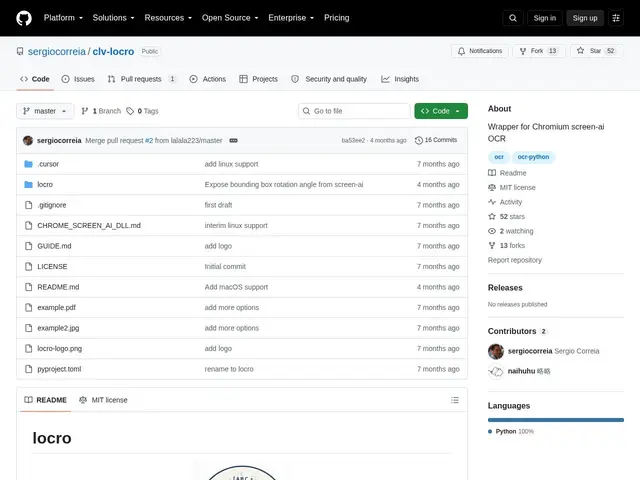
Description
Every copy of Chrome already ships with a surprisingly good, free OCR engine — the one it uses to make scanned PDFs and images searchable. Locro is a small tool that reaches into that engine directly and lets you use it from the command line or a Python script, so you get browser-grade text recognition without actually running a browser, paying for a cloud OCR API, or training your own model.
Locro accesses Chrome's screen_ai library directly via Python's ctypes, extracting text from JPG, PNG, WebP, BMP, TIFF, GIF, and PDF files on Windows, Linux, and macOS. It's pitched by its author as faster and more accurate than Tesseract, the long-standing open-source OCR baseline, and ships as a pip-installable package with both a CLI and a Python API. It's MIT-licensed and, at 52 GitHub stars, still an early-stage project that depends on the Chrome screen-ai library being present on the system.
💬 Our review
The short version: Locro is a clever hack — reusing Chrome's OCR engine instead of shipping your own model — that's genuinely useful for quick, local text extraction, but it's a young, single-purpose tool rather than a full OCR platform.
Against Tesseract, the default free OCR baseline most developers reach for, Locro claims better speed and accuracy since it piggybacks on a modern, actively-maintained engine rather than a decades-old one — a believable claim given Chrome's screen_ai model is regularly updated for accessibility use. Against cloud OCR APIs (Google Vision, AWS Textract), Locro is free and runs entirely locally, at the cost of some flexibility (no layout analysis or table detection built in) and a dependency on Chrome's library being installed. At 52 stars it's not yet battle-tested at scale, but the underlying idea is sound. Worth trying for local, no-cost, no-API-key text extraction from images and simple PDFs; reach for a cloud API instead if you need structured document parsing (tables, forms) out of the box.
💰 Pricing
📊 Global score
🤖 AI-enriched data
Gratuit, licence MIT
Pros
Réutilise le moteur OCR intégré de Chrome (screen_ai), gratuit et à jour
Revendiqué plus rapide et précis que Tesseract
Fonctionne 100% en local, sans clé API ni cloud
Multiplateforme (Windows, Linux, macOS), CLI + API Python
Cons
Projet jeune (52 étoiles GitHub), adoption limitée
Dépend de la présence de la bibliothèque screen-ai de Chrome sur le système
Pas d'analyse de mise en page ou de détection de tableaux comme les API cloud