Screenshotify
A free desktop app that watches your screenshot folder and renames each new capture with a meaningful filename using AI — including fully offline models.
🔗 Visit Screenshotify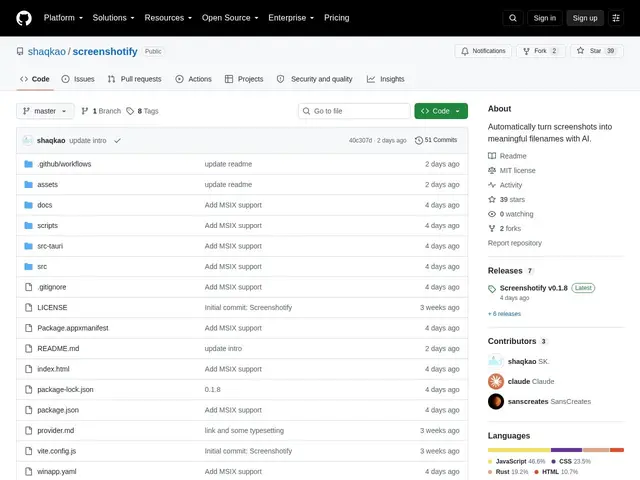
Description
If your Downloads folder is full of files called "Screenshot 2026-09-05 at 14.32.11.png" and you've never once been able to find the one you need, Screenshotify solves exactly that: it watches your screenshot folder, and the moment a new one lands, an AI model looks at it and suggests a real filename ("login-error-invalid-token.png") that you approve with one click before anything gets renamed.
Technically, it's a small cross-platform desktop app (built with Tauri, so a Rust backend with a lightweight web-based UI) that can talk to any OpenAI-compatible API — including fully local, offline engines like Ollama or LM Studio, so your screenshots never have to leave your machine if you don't want them to. It also handles batch-renaming an existing pile of old screenshots, lets you customize naming conventions (case style, date prefixes, word limits), and stores API keys in your OS's native credential manager rather than a plaintext config file. It's open-source (MIT), free, and still early — 39 stars, Windows and macOS supported, Linux not yet.
💬 Our review
The short version: Screenshotify is a small, well-scoped utility that fixes one specific annoyance — unreadable screenshot filenames — and its offline-capable design is the detail that makes it worth trusting with sensitive screenshots, not just a nice-to-have.
There's no direct competitor doing exactly this (most "AI file organizer" tools are broader and heavier, or cloud-only), so the honest comparison is against just living with default filenames or manually renaming — and Screenshotify's review-before-rename queue means it can't silently mangle your files, which is the main risk you'd worry about handing a folder over to an AI. The catches are its size and maturity: 39 stars means a small community and slower bug-fixing, Linux isn't supported yet, and you do need to set up an API key (cloud or local) yourself, which is one extra step compared to something that works zero-config out of the box. Worth it if you're a developer or designer drowning in screenshots and comfortable with a short one-time setup; skip it if you're on Linux today or want something that requires absolutely no configuration.
💰 Pricing
📊 Global score
🤖 AI-enriched data
Gratuit, licence MIT. Nécessite ses propres clés API (OpenAI, OpenRouter, etc.) ou un LLM local (Ollama, LM Studio) — aucun coût de la part de l'outil lui-même.
Pros
Fonctionne entièrement hors ligne avec un LLM local (Ollama, LM Studio)
File d'attente de validation avant tout renommage (zéro risque de renommage silencieux)
Clés API stockées dans le trousseau natif de l'OS, pas en clair
Open-source, gratuit, multi-fournisseur IA
Cons
Pas encore de support Linux
Configuration manuelle d'une clé API ou d'un LLM local requise
Petite communauté (39 étoiles), adoption précoce
Aucune suggestion de repli si le nom proposé par l'IA est rejeté