Photo2Video AI
Turns a photo into a video by picking from several leading AI video models in one place — camera moves, product spins, or animated portraits, up to 4K.
🔗 Visit Photo2Video AI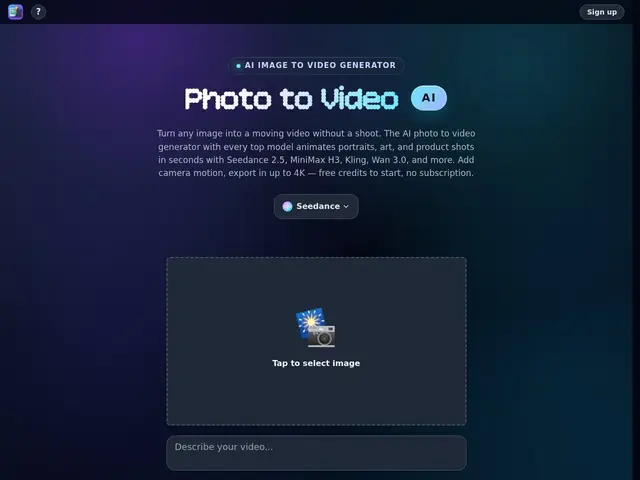
Description
Say you have a single product photo and want a 360° spin for your online store, or a portrait you'd like to see smile and blink naturally — Photo2Video AI takes that one image and animates it, offering a menu of ready-made effects (camera pan, push-in, orbit, background swap, product rotation) instead of asking you to write your own animation prompt from scratch.
What sets it apart technically is that it doesn't rely on a single AI model: it gives you a choice between several of the current best image-to-video engines (Seedance 2.5, MiniMax H3, Kling, Wan 3.0, Vidu, and others), so you can pick a fast draft model (MiniMax H3 renders in about five seconds) or a higher-fidelity one for a final export, up to 4K, from the same interface. It also supports up to eight reference images for consistency across a batch — useful for e-commerce catalogs — and some models add native audio to the generated clip.
💬 Our review
The short version: Photo2Video AI's real pitch isn't a proprietary model — it's a single subscription-free front end to several of today's best video-generation models, so you're not locked into whichever one platform decided to build.
That multi-model approach is genuinely useful if you've compared Runway, Kling and MiniMax separately and found each better at different things (MiniMax for speed, Kling for cinematic motion) — here you get all of them without juggling separate accounts. The trade-off is the same one every aggregator has: pricing is credit-based and the exact cost per model isn't laid out clearly on the homepage, so you won't know exactly what a 4K export costs until you're mid-workflow. Worth it if you want to A/B test several video models on the same photo without five subscriptions; skip it if you've already settled on one model you like and just want the cheapest direct access to it, since a first-party subscription (e.g. Kling directly) will usually undercut an aggregator's markup.
💰 Pricing
📊 Global score
🤖 AI-enriched data
Crédits gratuits à l'inscription, aucun abonnement requis. Paiement à la vidéo ensuite (montants exacts non communiqués publiquement sur la page d'accueil).
Pros
Accès à plusieurs modèles vidéo de pointe (Seedance 2.5, MiniMax H3, Kling, Wan 3.0, Vidu) sans multiplier les abonnements
Export jusqu'à 4K
Rendu rapide possible (~5s avec MiniMax H3)
Outils dédiés e-commerce (rotation produit 360°, fond animé)
Cons
Tarification par crédit peu détaillée avant génération
Pas de dépôt GitHub ni composant open-source
Support linguistique non précisé
Aucune documentation publique sur les limites/quotas