md2pdf
A command-line tool that converts Markdown files into properly typeset PDFs, with first-class support for Chinese, Japanese and Korean text.
🔗 Visit md2pdf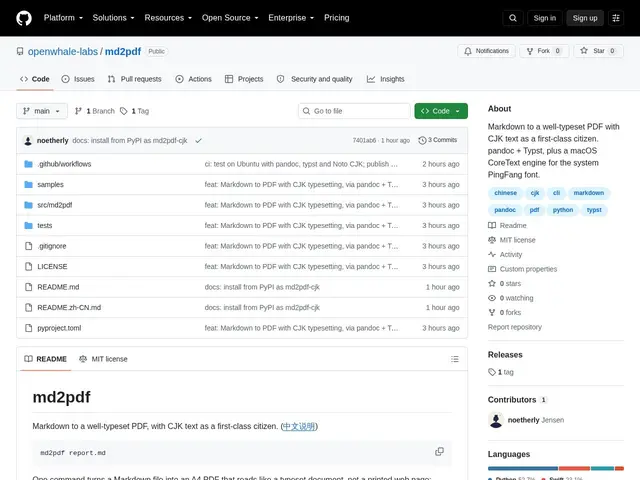
Description
If you've ever turned a Markdown file into a PDF and ended up with a document where the spacing was too tight, tables got cut in half across pages, or Asian text looked cramped and hard to read, that's the exact problem this tool solves. md2pdf is a small command-line program that takes a Markdown file and produces a clean, professional-looking PDF — one that treats Chinese, Japanese and Korean text as a first-class citizen instead of an afterthought.
Technically, md2pdf is a Python CLI (installable via `pip install md2pdf-cjk` or `uv tool install md2pdf-cjk`) that pipes Markdown through Pandoc into Typst — a modern typesetting system — using a template tuned for mixed-script (Latin + CJK) documents. On macOS, an alternative CoreText rendering path is available via `--pingfang`, using the system's PingFang font through WebKit. It handles proper line spacing and justification for CJK scripts, keeps tables from being awkwardly split across page breaks, and subsets fonts so the output looks consistent across machines. It's MIT-licensed and free.
💬 Our review
The short version: if you write documentation or reports that mix English with Chinese, Japanese or Korean text and you're tired of HTML-to-PDF converters mangling the spacing, md2pdf is a free, focused command-line fix worth trying.
General-purpose Markdown-to-PDF converters — Pandoc used directly, or GUI apps like Typora's built-in PDF export — technically support CJK text, but none of them specifically tune line spacing, justification and page-breaking for mixed-script documents the way md2pdf does; that's its whole reason to exist. The tradeoff is scope: md2pdf is a single-purpose CLI tool, not a general document platform — no live preview, no GUI, no web app — so if you just need occasional English-only Markdown-to-PDF conversion, Typora or Pandoc alone is simpler and gets you there without an extra dependency on Typst. But for anyone regularly producing CJK-heavy technical documents, this narrow focus is exactly the value: it's free, open source, and does one job properly that bigger tools do as an afterthought.
💰 Pricing
📊 Global score
🤖 AI-enriched data
Outil open source (MIT), installation via pip/uv, aucun coût
Pros
Typographie CJK soignée (interlignage, justification)
Gestion propre des sauts de page pour les tableaux
Rendu cohérent grâce au subsetting de polices
Gratuit et open source (MIT)
Cons
Outil en ligne de commande uniquement, pas d'interface graphique
Dépend de Pandoc et Typst (deux dépendances externes)
Rendu CoreText avancé réservé à macOS