PATM
A free desktop app for browsing and moving data between PostgreSQL, MySQL and MariaDB databases without writing a one-off script every time you need to copy a table.
🔗 Visit PATM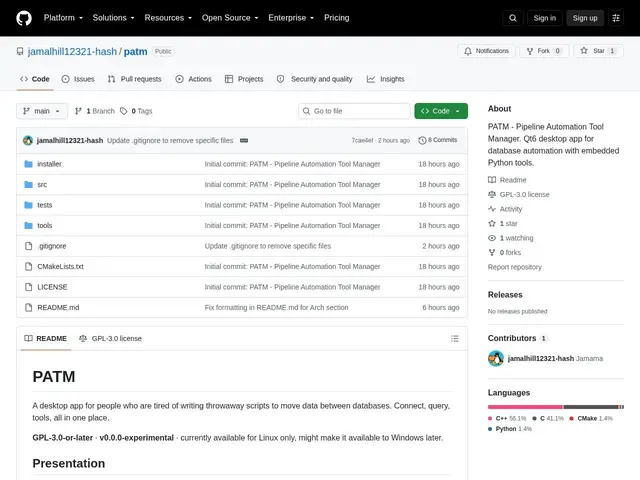
Description
Anyone who works with databases regularly knows the small, recurring annoyance of needing to move data from one table or database to another — and reaching for a quick throwaway script because the alternative feels like overkill. PATM is a desktop app built specifically to remove that friction: connect to your databases, browse tables, run queries, and transfer data between them through a graphical interface instead of scripting it each time.
PATM is a C++/Qt6 desktop application supporting PostgreSQL, MySQL and MariaDB, with database credentials stored in the operating system's keyring rather than in plaintext config files, plus TLS and SSH tunnel support for connecting to remote or secured databases. It includes table browsing and preview, a SQL query window with selective execution, a SQL terminal for direct commands, CSV export, dedicated table-transfer tooling between databases, and a sandboxed API for writing custom Python tools on top of it. It's free and open-source under GPL-3.0-or-later. The project is explicitly labeled v0.0.0-experimental with 1 GitHub star and 0 forks — genuinely early software from what appears to be a single developer, competing in a space with long-established free tools like DBeaver and pgAdmin that already cover most of the same ground.
💬 Our review
The short version: PATM does what it says — a clean GUI for browsing and transferring data across Postgres/MySQL/MariaDB — but at v0.0.0-experimental with a single visible contributor, it's not yet a reason to switch away from DBeaver or pgAdmin.
Its one genuine point of differentiation is secure-by-default credential storage (system keyring rather than plaintext) plus a sandboxed Python extension API for custom tooling, which neither DBeaver's free tier nor pgAdmin emphasizes as strongly. But DBeaver already supports more database engines, has a much larger plugin ecosystem, and is battle-tested by a large user base — so the honest comparison is that PATM is an interesting young alternative worth bookmarking, not yet a replacement. Reasonable to try if you specifically want the keyring-based credential handling or plan to extend it via its Python API and don't mind rough edges; stick with DBeaver or pgAdmin if you need a dependable daily driver today.
💰 Pricing
📊 Global score
🤖 AI-enriched data
Gratuit, licence GPL-3.0-or-later
Pros
Identifiants de connexion stockés dans le trousseau système, pas en clair
Support TLS et tunnel SSH pour bases distantes/sécurisées
API Python sandboxée pour créer des outils personnalisés
Gratuit et open-source (GPL-3.0-or-later)
Cons
Stade v0.0.0-experimental, 1 étoile GitHub, 0 fork
Concurrence directe d'outils gratuits déjà très établis (DBeaver, pgAdmin)
Support limité à 3 moteurs (PostgreSQL, MySQL, MariaDB) contre bien plus chez DBeaver
Développement porté par un seul contributeur visible à ce stade