Mu (CLI Agent)
A minimal, composable terminal AI agent (Rust) that treats bash as its primary tool instead of bolting on dozens of specialized tools.
🔗 Visit Mu (CLI Agent)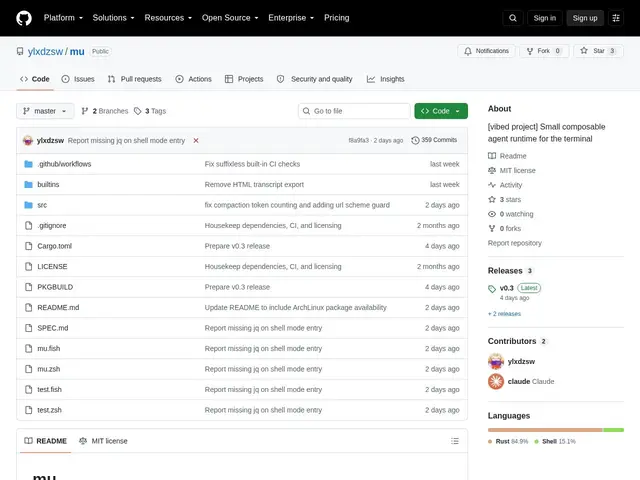
Description
Many AI coding agents ship with dozens of specialized tools — one for reading files, another for editing, another for running tests — which gives you a lot of surface area to learn and a lot that can go wrong. Mu takes a deliberately different, minimalist approach: instead of a big toolbox, it treats the Unix shell itself as its primary tool, on the theory that bash can already do almost everything a specialized tool would do, with less to maintain.
Mu is a statically-linked Rust binary that reads prompts from stdin, executes bash commands with real POSIX shell capabilities, and writes results to stdout, maintaining state through append-only session logs rather than a long-running process (each invocation is short-lived, which the project says avoids memory leaks). It integrates into zsh and fish shells via a Tab-key shortcut, labels bash commands by risk (readonly, reversible, destructive), supports a small set of symlink-based applets for tasks like patching or viewing images, and works with multiple LLM provider APIs (Chat Completion, Responses, and Anthropic Messages formats). It's MIT-licensed and open-source.
💬 Our review
The short version: if you're comfortable in the shell and philosophically prefer a small, composable tool over a feature-heavy one, Mu's bash-first minimalism is a genuinely different design bet than most coding agents — but with only 3 GitHub stars, you're an early adopter of a niche design philosophy, not a mainstream tool.
The project's own README makes an explicit comparison to a competitor called “pi,” noting it offers roughly 75% more tools than Mu — which is really the whole story here: Mu is a deliberate minimalism bet against agents like Claude Code, Codex, or pi that ship a large built-in toolset. That's a real tradeoff, not just a smaller feature list: fewer tools means less for the model to misuse or get confused by, at the cost of relying more heavily on the shell itself for anything Mu doesn't have a dedicated applet for. Its short-lived-process, stateless architecture is a sensible technical choice for a CLI tool, and the risk-labeling for bash commands (readonly/reversible/destructive) is a welcome basic safety layer. Worth trying if you specifically want a lightweight, shell-native agent and don't mind a small community; if you want the largest toolset and the most polish, Claude Code or Codex remain the safer default.
💰 Pricing
📊 Global score
🤖 AI-enriched data
Gratuit et open source (MIT), nécessite vos propres clés API LLM.
Pros
Approche minimaliste délibérée : bash comme outil principal
Binaire Rust statique, processus courts et sans état, évite les fuites mémoire
Étiquetage du risque des commandes bash intégré
Intégration shell zsh/fish
Gratuit, open source, compatible plusieurs formats d'API LLM
Cons
Très petite communauté (3 étoiles GitHub)
Moins d'outils intégrés que la concurrence par choix de conception
Moins mature/documenté que les agents de code plus établis