Cascadia PLM
An open-source, code-first PLM system with Git-style branching for hardware engineering changes — a modern alternative to Aras Innovator.
🔗 Visit Cascadia PLM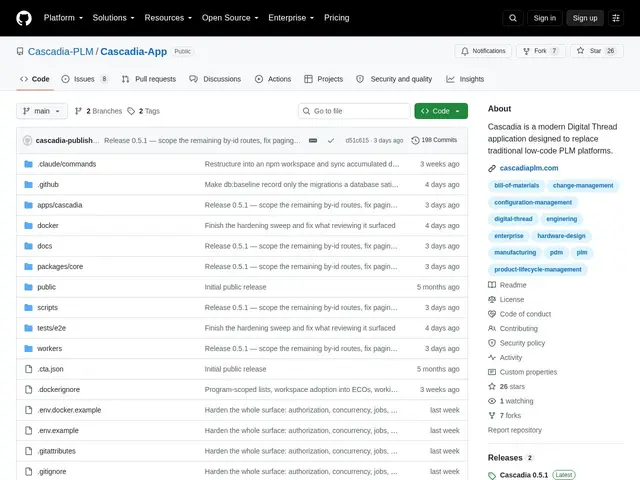
Description
Hardware and electronics teams managing product lifecycles — parts, bills of materials, engineering change orders, revisions — have traditionally relied on PLM (Product Lifecycle Management) software that's configured through clunky low-code UIs rather than version-controlled like software is. Cascadia takes the approach most developers already know from Git and applies it to hardware engineering data.
Cascadia is a TypeScript application (Hono backend, Vite/React frontend, PostgreSQL 18+ with Drizzle ORM) that manages parts, documents, engineering change orders, requirements, and multi-level bills of materials, with its signature feature being “ECO-as-Branch” — every Engineering Change Order gets its own isolated Git-style branch, so multiple changes can be developed in parallel and merged on release, with full commit and tag history for every piece of engineering data. It includes a built-in 3D CAD viewer for STL/OBJ/STEP files, full-text search, configurable approval workflows, SysML v2 API compatibility, and background job processing via RabbitMQ. It's dual-licensed: free under AGPL v3.0 for self-hosting, or a commercial license for enterprise features like CAD connectors, SSO, and an “AI Design Engine.”
💬 Our review
The short version: if your hardware engineering team is still tracking Engineering Change Orders in spreadsheets or a legacy low-code PLM tool, Cascadia's Git-inspired branch-per-ECO model is a genuinely clever, developer-friendly rethink — the honest caveat is it's a young project (26 stars) going up against decades-old incumbents with far deeper enterprise track records.
Against Aras Innovator — the incumbent it explicitly positions against — Cascadia trades Aras's low-code configuration UI and long enterprise track record for a code-first, type-safe, Git-native workflow that will feel much more natural to teams with software engineering habits, at the cost of Aras's maturity and support ecosystem. The AGPL v3.0 free tier is a real, usable open-source option (not a crippled trial), which is unusual in the PLM space where most tools are commercial-only; the paid tier adds CAD connectors and SSO that larger organizations will likely need anyway. Being dual-licensed with a genuine open-core model is a healthier signal than most one-shot open-source PLM attempts. Worth a serious pilot if your hardware team already thinks in Git terms and wants version-controlled engineering data; if you need an established vendor with decades of enterprise references, Aras or similar incumbents remain the safer default today.
💰 Pricing
📊 Global score
🤖 AI-enriched data
Gratuit en auto-hébergement (AGPL v3.0) ou licence commerciale pour les fonctionnalités entreprise (connecteurs CAO, SSO/AD, conformité, AI Design Engine).
Pros
Branches Git-style par Engineering Change Order, approche unique dans le PLM
Palier open source (AGPL) réellement utilisable, pas juste un essai bridé
Visualiseur 3D CAO intégré (STL/OBJ/STEP) et compatibilité SysML v2
Configuration code-first type-safe adaptée aux équipes ayant des habitudes de dev
Cons
Projet jeune (26 étoiles) face à des incumbents PLM établis depuis des décennies
Configuration code-first plus exigeante pour des équipes non-développeuses
Fonctionnalités entreprise réservées à la licence commerciale