ccswitch
A command-line tool that lets you switch between multiple Claude Code accounts with one command, without losing your shared settings each time.
🔗 Visit ccswitch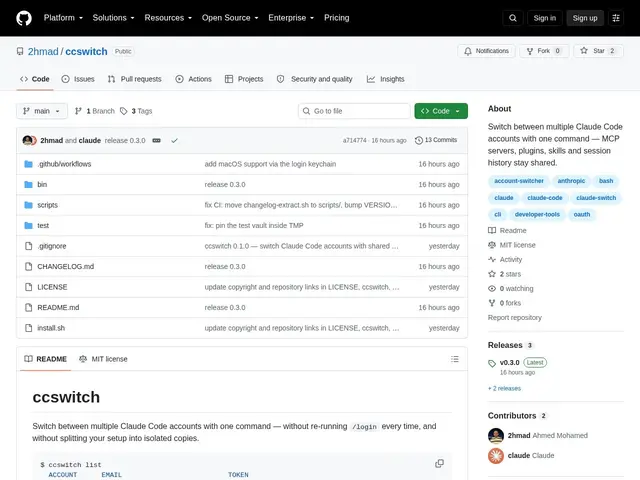
Description
If you use Claude Code for both a personal project and a work account, you've probably run into the annoyance of re-configuring plugins, MCP servers, or session history every time you switch identities — or worse, keeping two completely separate setups that drift apart. ccswitch is a small utility built to remove exactly that friction.
ccswitch is an open-source command-line tool that switches between multiple Claude Code accounts with a single command, while keeping shared configuration — MCP servers, plugins, skills, and session history — intact across the switch, instead of isolating each account in its own separate directory. It also handles automatic token refresh to prevent credentials from silently expiring, includes backup/restore functionality, and supports scheduling integration for automated account switching. It runs cross-platform, including Linux, with experimental macOS support.
💬 Our review
The short version: ccswitch does one narrow thing well — preserving shared Claude Code configuration across multiple accounts — but with only 2 GitHub stars and 13 commits, you're the beta tester as much as the user.
There isn't really a direct competing tool for this specific problem; most people either manually swap config directories or juggle environment variables by hand, both of which are exactly the tedious manual process ccswitch automates. Its real value is narrow but genuine: automatic token refresh and shared-config preservation solve a real annoyance for anyone running Claude Code under more than one identity. Being free, open-source, and a small single-purpose script, the adoption risk is low — worst case, you uninstall it and go back to manual switching. Worth trying if you already hit this exact pain point; not worth seeking out otherwise.
📊 Global score
🤖 AI-enriched data
Gratuit et open source (auto-hébergé), aucun coût de licence.
Pros
Préserve les serveurs MCP, plugins, skills et historique de session partagés lors du changement de compte
Rafraîchissement automatique des tokens pour éviter l'expiration des identifiants
Support multiplateforme, dont Linux et macOS (expérimental)
Cons
Adoption très limitée (2 étoiles, 13 commits)
Activité communautaire minimale