WinZST
A 7-Zip fork for Windows that unpacks .tar.zst and .tgz archives straight to their final files, skipping the leftover intermediate .tar file most tools leave behind.
🔗 Visit WinZST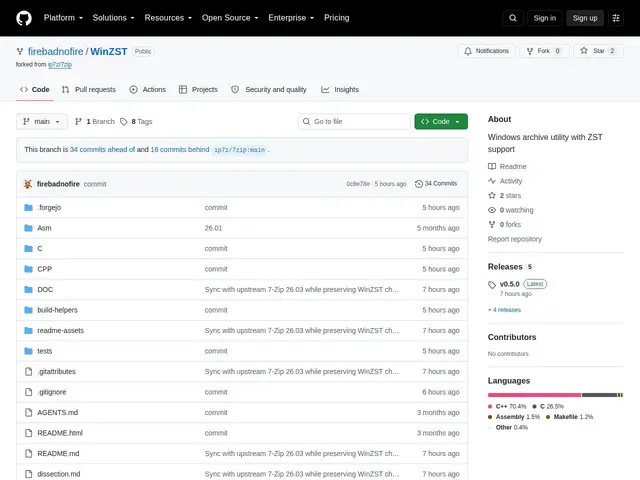
Description
If you've ever downloaded a .tar.zst or .tgz file on Windows and ended up with a loose .tar file sitting on your desktop that you then had to extract AGAIN, you already understand the exact annoyance WinZST fixes. It's a small, specific fix for a two-step extraction most Windows users don't even realize is unnecessary.
WinZST is a fork of 7-Zip built specifically to solve that Windows-side tarball problem: it extracts compressed tarballs like .tar.zst, .tgz, and .txz directly to their final contents in one step, instead of leaving an intermediate .tar file that then needs a second extraction pass. It's built on 7-Zip's proven codebase, so it keeps full compatibility with ZIP, RAR, LZMA and other existing formats, while adding prioritized support for the modern Zstandard compression format and introducing a shorthand .tzs extension. It includes 7-Zip's familiar Windows shell integration and GUI, and ships cryptographically signed releases.
💬 Our review
The short version: WinZST is a narrow, well-targeted fix for a genuine Windows annoyance — if you regularly pull Unix-sourced .tar.zst or .tgz archives on Windows, it saves you a manual extraction step every time, for free.
7-Zip itself and WinRAR both technically can extract these formats, but neither collapses the two-step tar-then-extract process into one — that's WinZST's entire reason to exist, and it delivers on that narrow promise by inheriting 7-Zip's full format compatibility rather than reinventing archive support. PeaZip is the closer open-source comparison in spirit (free, broad format support) but doesn't specifically solve the intermediate-tar problem either. The catch is that this is a young fork at v0.5.0 from a single maintainer, so you're trusting a smaller project with archive integrity versus 7-Zip's decades of scrutiny — reasonable for personal use, worth a beat of caution before rolling it out on machines handling sensitive archives at work.
📊 Global score
🤖 AI-enriched data
Gratuit et open source (auto-hébergé), aucun coût de licence.
Pros
Résout un problème Windows spécifique : l'extraction de tarballs sans fichier .tar intermédiaire
Compatibilité complète avec 7-Zip, plus une optimisation dédiée aux tarballs
Support prioritaire du format de compression moderne Zstandard (extension .tzs)
Releases signées cryptographiquement
Cons
Windows uniquement, pas de support macOS ou Linux
Fork en phase précoce (v0.5.0) maintenu par une seule personne, historique de production limité