dev-prune
Rust CLI that deletes node_modules, .venv, target and vendor folders across all your Git repos, but only after confirming the lockfile can rebuild them
🔗 Visit dev-prune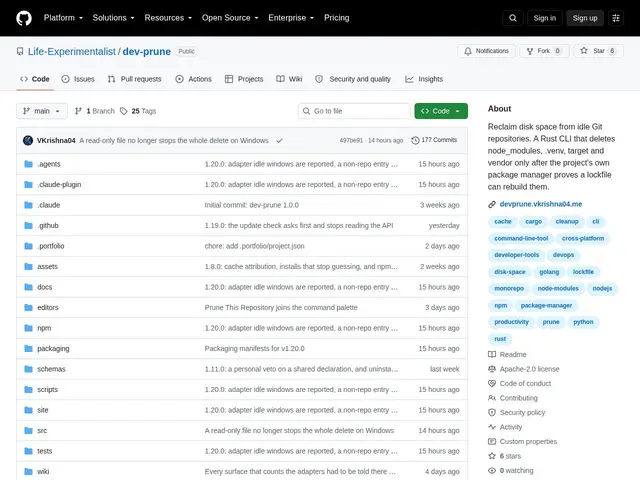
Description
If you have a dozen old projects sitting on your laptop, most of your disk space is probably node_modules folders you'll never touch again — but deleting them by hand means checking each project still has a working lockfile before you dare hit delete. dev-prune automates that safety check: it only removes a dependency folder once it's proven the exact reinstall command would actually put it back.
dev-prune is a Rust CLI that scans every Git repository you register and identifies reclaimable dependency and build directories (node_modules, .venv, target, vendor, and more) across 25+ package managers — not just the obvious npm/pip/cargo/go quartet. It cross-references git log activity and file modification times to judge whether a repo is genuinely idle before flagging its folders, includes a one-command restore (devp restore) to undo a deletion, and can run automatically in the background via cron or Task Scheduler. It's open source under the Apache-2.0 license.
💬 Our review
The short version: if you're a developer with a graveyard of old repos quietly eating disk space, dev-prune's lockfile-gated deletion is the detail that makes it worth trusting over a blunt find-and-delete script — it's free, open source, and reversible with one command.
Compared to npkill (interactive, npm-only) or a raw rimraf/find one-liner, dev-prune's real differentiator is breadth (25+ package managers, not just Node) and the built-in safety proof before deleting anything, plus activity detection so it doesn't nuke a repo you touched yesterday. The tradeoff is setup complexity — 31 configuration parameters and an initial registration step for each repo — which is more ceremony than a quick manual cleanup for someone with only two or three projects to manage. Build-tree support for Gradle, Maven, and Cargo is disabled by default too, so heavy JVM or Rust users may need to dig into config before it covers their full workflow.
📊 Global score
🤖 AI-enriched data
Open source sous licence Apache-2.0, gratuit.
Pros
Suppression conditionnée à la preuve que le lockfile peut tout reconstruire — jamais de suppression aveugle
Support de plus de 25 gestionnaires de paquets, pas seulement npm/pip/cargo/go
Commande de restauration en un coup (devp restore) et automatisation en arrière-plan (cron / Task Scheduler)
Cons
Configuration initiale avec 31 paramètres, plus lourde qu'un simple script de nettoyage
Arbres de build (Gradle, Maven, Cargo) désactivés par défaut, à activer manuellement
Dépend de la présence d'un lockfile valide dans chaque projet pour fonctionner