Nodlume
Visual canvas for mapping out a React app's screens, data, APIs and roles before writing code, then exports scaffolded project files
🔗 Visit Nodlume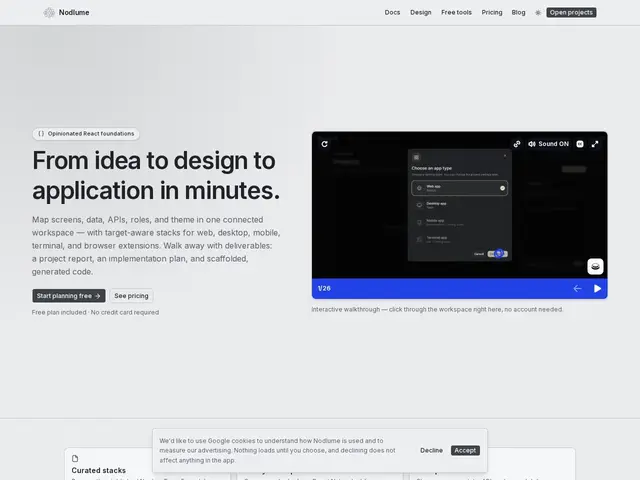
Description
Before writing a line of code, most app ideas live as a mess of notes, a rough Figma mockup, and a mental model that only exists in the founder's head — which means the developer who actually builds it has to reconstruct that plan from scratch. Nodlume tries to make the planning stage itself produce something usable: a visual map of your app that turns directly into a real project skeleton.
Nodlume is a system-design workspace for React applications: you lay out screens, data models, API endpoints, and user roles on a connected visual canvas, and the tool generates deliverables including implementation plans and scaffolded, ready-to-run code. It supports multiple target platforms from one plan — web, desktop (via Tauri), mobile (via Expo), terminal (Ink), and browser extensions — using curated tech stacks like Next.js, and includes pre-built components (shadcn/ui, React Native) plus design-system tooling.
💬 Our review
The short version: if you're a solo developer or small team that keeps re-explaining the same app architecture in every planning doc, Nodlume's free tier (3 documents, 50 AI credits/month) is enough to test whether "plan visually, export real scaffolding" actually saves setup time versus starting from a blank Next.js repo.
Against Figma or Framer, which stop at visual mockups, Nodlume's differentiator is that the output is runnable code, not just a picture of one — it's closer to a structured alternative to a boilerplate generator with a visual front end. The constraint is that it works within curated stacks (Next.js, Tauri, Expo, Ink), so it fits teams happy to work within those choices and less well if your stack is already fixed elsewhere. Credit-gated actions mean heavy use will require the $10 or $20/month tiers fairly quickly, and this is a young, narrow product without a long track record — worth a trial run before betting a real project's initial scaffolding on it.
📊 Global score
🤖 AI-enriched data
Gratuit : 3 documents, 50 crédits IA/mois. Starter : 10 $/mois, documents illimités, 500 crédits IA/mois. Plus : 20 $/mois, collaborateurs illimités, 2 000 crédits IA/mois. Crédits additionnels : 5 $ pour 200 crédits.
Pros
Canvas visuel connecté pour cartographier écrans, données, APIs et rôles en un seul endroit
Génère du code scaffold réellement exécutable, pas juste une maquette
Support multiplateforme (web, desktop, mobile, terminal, extensions navigateur) depuis un seul plan
Cons
Plan gratuit limité à 3 documents et 50 crédits IA/mois
Fonctionne dans des stacks techniques prédéfinies (Next.js, Tauri, Expo, Ink), moins flexible hors de ces choix
Produit jeune, peu de recul sur la fiabilité du code généré à grande échelle