sidebranch
Browser extension that shows two Git branches of your running app side-by-side for visual comparison, without touching your working tree
🔗 Visit sidebranch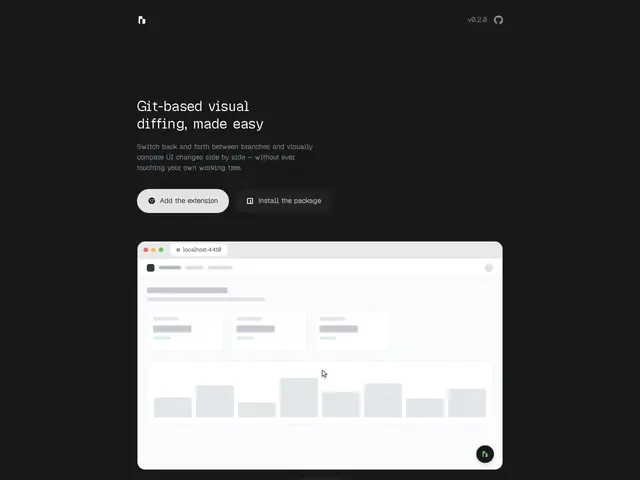
Description
Reviewing a UI change usually means checking out the branch, running the app, eyeballing it, then checking out main again to compare — a slow context-switch loop that most developers just skip and trust the screenshots in the PR instead. sidebranch removes the checkout step by running both branches at once, side by side, in your own browser.
It works by spinning up isolated Git worktrees per branch and rendering them in a Chrome/Edge extension with multiple comparison modes (blend and onion-skin diff), so you can visually compare UI changes without ever touching your actual working tree. It's framework-agnostic — a CLI daemon plus JSON config connects it to Next.js, Vite, Django, Rails or most other web stacks — and installs with two commands (npx sidebranch init, npx sidebranch start).
💬 Our review
The short version: for teams reviewing frontend PRs where the diff is visual rather than logical, sidebranch's live side-by-side comparison is a small but real upgrade over the usual screenshot-in-a-PR-comment habit — and it's free and open source.
It's solving an adjacent problem to GitKraken or SourceTree, which are general Git GUIs, not visual UI comparison tools; the closer comparison is really "nothing," since most teams don't have a dedicated tool for this at all and just rely on manual checkout-and-eyeball. The main limitation is browser support (Chrome/Edge only) and that it requires a local daemon running — not a hosted service — so it fits a local-dev review workflow better than a fully remote one. Being free and open source with zero external dependencies, there's little downside to trying it if visual PR review is a recurring pain point.
📊 Global score
🤖 AI-enriched data
Gratuit et open source, aucune offre payante mentionnée.
Pros
Comparaison visuelle en direct de deux branches, sans toucher à l'arbre de travail
Agnostique du framework (Next.js, Vite, Django, Rails…) via un daemon CLI
Léger, gratuit, open source, sans dépendances externes lourdes
Cons
Limité aux navigateurs Chrome et Edge
Nécessite un daemon local et une configuration CLI
Pas conçu pour des workflows entièrement distants/hébergés