Tidy
Free Mac utility that fixes grammar and spelling in any app using on-device Apple Intelligence, via a keyboard shortcut
🔗 Visit Tidy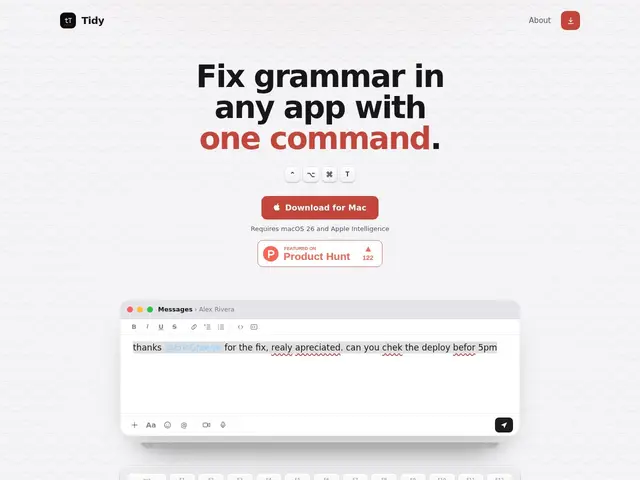
Description
Grammar checkers usually mean either a subscription (Grammarly) or copy-pasting text into a separate window — friction that discourages actually using them for quick messages or notes. Tidy tries to remove both costs: it's free, and it works in place, inside whatever app you're already typing in.
Select text anywhere on macOS, press a shortcut (⌃⌥⌘T), and Tidy corrects grammar and spelling using the on-device model built into Apple Intelligence — nothing is uploaded, since the correction runs locally. A second mode strips overly verbose or AI-sounding phrasing ("de-slopping") from text that reads like it was machine-written.
💬 Our review
The short version: if you already have Apple Intelligence-capable hardware and don't want to pay for Grammarly, Tidy's free, fully on-device grammar fix is hard to argue with — the main cost is the macOS 26 hardware requirement, not money.
Grammarly remains more feature-complete (style suggestions, tone analysis, plagiarism checks) and works across platforms including Windows and browsers, so it's still the better choice for heavy writers who need more than grammar correction. Tidy's advantage is narrower but real: zero cost, zero cloud upload, and it works inside any Mac app rather than requiring a specific editor integration. The fixed keyboard shortcut and reliance on Apple's on-device model (rather than Tidy's own, potentially more tunable model) are the tradeoffs for that simplicity.
📊 Global score
🤖 AI-enriched data
Gratuit ; nécessite macOS 26 avec support Apple Intelligence.
Pros
Fonctionne dans n'importe quelle application Mac, pas seulement un éditeur spécifique
Traitement 100% local via Apple Intelligence, aucun envoi de données
Entièrement gratuit, avec un mode « de-slopping » pour alléger un texte trop verbeux
Cons
Nécessite du matériel compatible Apple Intelligence (macOS 26+)
Raccourci clavier fixe, non personnalisable
Moins complet que Grammarly (pas d'analyse de ton ni de style avancée)