Snifflab
Browser-based HAR file viewer that analyzes network traffic entirely client-side, with no upload and no account
🔗 Visit Snifflab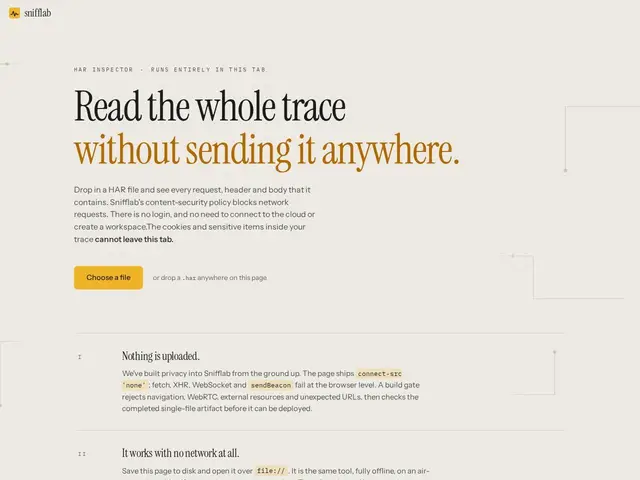
Description
Debugging a weird network issue often means opening a HAR file dump full of hundreds of requests — and most online HAR viewers ask you to upload that file to their server first, which is a bad idea if it contains auth tokens or private URLs. Snifflab reads the file entirely in your own browser tab instead.
Snifflab is a web-based HTTP Archive (HAR) viewer that processes and analyzes network traces entirely client-side, without transmitting any data to an external server. It's aimed at developers and DevOps engineers debugging network issues or auditing HTTP traffic, requires no account, and includes redaction and decoding capabilities for sensitive data. It enforces a strict Content-Security-Policy to back up its privacy claim rather than just asserting it, and ships as a single-file distribution that works offline once loaded.
💬 Our review
The short version: for anyone who's ever hesitated before uploading a HAR file full of session tokens to a random web tool, Snifflab's client-side-only design is exactly the right answer to a real, common hesitation.
Compared to Chrome DevTools' own Network tab, Snifflab is useful specifically when you need to share or re-analyze a HAR file exported earlier or from someone else's machine, without DevTools already open on that session. Compared to Fiddler or dedicated HAR analyzers, it trades collaborative features and cross-device sync for simplicity and zero data risk. It's free, single-purpose, and does exactly what it claims — worth bookmarking for anyone who regularly handles HAR files; not a replacement for live debugging in DevTools.
📊 Global score
🤖 AI-enriched data
Gratuit, avec un lien de don Stripe optionnel.
Pros
Traitement entièrement local, aucune donnée transmise à un serveur
Aucun compte requis, aucun suivi
Fonctionne hors ligne une fois chargé, avec redaction et décodage des données sensibles
Distribution en fichier unique avec vérifications de sécurité intégrées
Cons
Limité au format de fichier HAR uniquement
Aucune fonctionnalité collaborative ni synchronisation multi-appareil
Nécessite un export manuel du HAR depuis les DevTools ou un outil de capture