repo-zoo
Keyboard-driven Rust launcher that finds and opens any of your code projects instantly via a global hotkey
🔗 Visit repo-zoo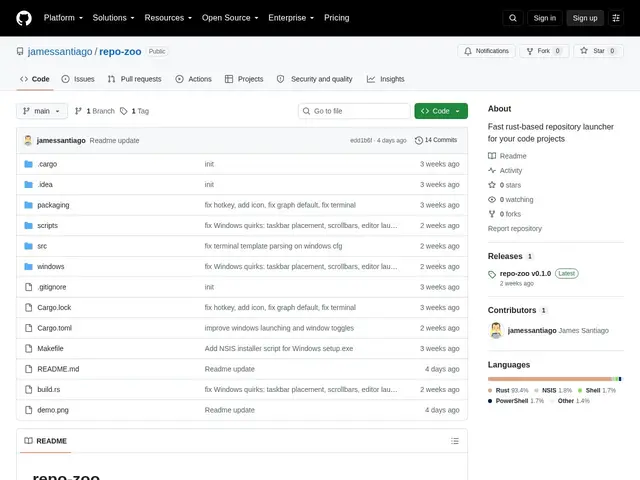
Description
If you work across dozens of repositories, just finding the right folder can burn more time than the actual task. repo-zoo puts every project one keystroke away: hit a global hotkey, type a few letters of the name, and jump straight into your editor, terminal or file manager.
repo-zoo is a Rust desktop application that scans your filesystem once, caches the results, and then lets you filter and open projects instantly through a hotkey-activated window. It supports both X11 and Wayland, with native KDE Plasma integration via D-Bus, and includes a project dependency graph visualization built on Tarjan's algorithm. Configuration is done through TOML files. It's aimed at developers who juggle many repositories and want a fast, keyboard-first way to switch between them, running on Linux (with a KDE focus) and Windows.
💬 Our review
The short version: for a developer with dozens of active repos, a fast fuzzy-launcher plus a dependency graph is a genuinely nice combination, though it's a niche tool competing with terminal-native habits.
Compared to fzf-based project switchers or zoxide, repo-zoo trades terminal-purism for a proper GUI window with global-hotkey activation and a visual dependency graph — useful if you think visually about how projects relate, overkill if a `cd $(fzf)` alias already does the job for you. Its KDE Plasma integration is a plus for that specific desktop but a non-factor on GNOME or macOS, where it isn't supported at all. It's free, so worth trying if project-switching friction is a real daily annoyance; skip it if you're already fast with a terminal fuzzy-finder.
📊 Global score
🤖 AI-enriched data
Gratuit, open source. Linux (KDE) et Windows.
Pros
Workflow au clavier avec activation par raccourci global
Visualisation du graphe de dépendances entre projets
Support natif X11 et Wayland, avec repli automatique
Léger : scan unique puis cache via configuration TOML
Cons
Application desktop uniquement, pas d'interface CLI ou web
Intégration KDE Plasma qui limite l'intérêt pour GNOME ou d'autres environnements
Configuration TOML manuelle nécessaire dans certains cas