Lumiko
Chrome extension that records your screen and automatically zooms in on your cursor like a professional screencast
🔗 Visit Lumiko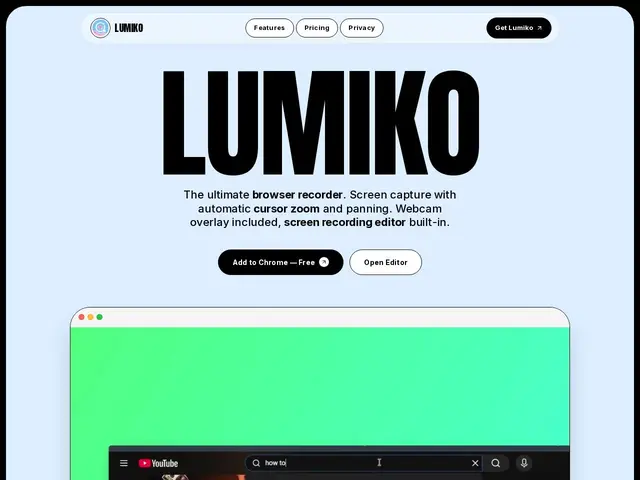
Description
Recording a quick product demo or tutorial usually means either a static, hard-to-follow screen capture or hours in a video editor manually adding zoom effects so viewers can actually see what you clicked. Lumiko automates that: it's a Chrome extension that records your screen and adds smooth, automatic zoom-and-pan effects that follow your cursor, so the final video looks like something a professional editor made — with zero editing required.
On top of the automatic zoom, it includes a resizable webcam bubble overlay, a smart blur tool for hiding sensitive information on the fly, and a lightweight timeline editor for trimming and reordering clips after recording. Exports support multiple aspect ratios (16:9, 9:16, 1:1) for repurposing the same recording across YouTube, TikTok, and social posts, and everything processes locally in the browser with no cloud upload. The free tier covers unlimited recordings at 720p/480p; the Pro tier is a one-time $29 purchase (not a subscription) that unlocks 1080p, 1440p, and 4K exports plus extra click-effect animations.
💬 Our review
The short version: Lumiko competes directly with Screen Studio and ScreenBrush on the 'automatic Hollywood zoom' feature that made Screen Studio popular — and it does it as a free Chrome extension instead of a paid Mac-only app, which is a real structural advantage.
Screen Studio remains the higher-polish option with more animation presets and is macOS-native rather than browser-based, but it's a recurring subscription; Lumiko's one-time $29 Pro purchase is a meaningfully different pricing model that will appeal to anyone who resents SaaS pricing for what is fundamentally a simple recording tool. The trade-off is scope: being a Chrome extension means it can only record what's in or in front of the browser, not full native desktop apps outside it, which rules it out for recording standalone software demos. Great pick for browser-based product demos and tutorials on a budget; still worth paying for Screen Studio if you need to record native desktop apps or want more advanced editing.
💰 Pricing
📊 Global score
🤖 AI-enriched data
Gratuit : enregistrement illimité, export 720p/480p. Pro : 29 $ paiement unique (licence à vie), export 1080p/1440p/4K.
Pros
Zoom automatique sur le curseur sans montage manuel
Traitement 100% local, aucun upload cloud
Pro en paiement unique, pas d'abonnement
Export multi-formats (16:9, 9:16, 1:1) pour réseaux sociaux
Cons
Extension Chrome uniquement — ne capture pas les apps natives hors navigateur
Export gratuit plafonné à 720p
Moins de presets d'animation que Screen Studio