ADDOM
Local-first desktop app for chatting with multiple AI coding providers without sending your code history to a vendor's cloud
🔗 Visit ADDOM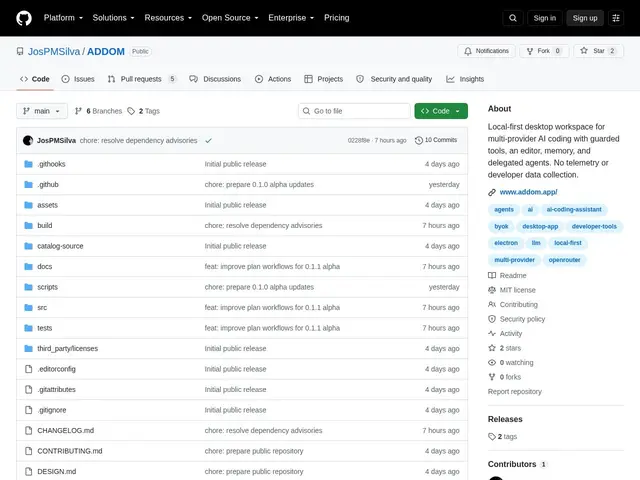
Description
Most AI coding assistants store your conversation history and project context on someone else's servers — fine for most people, but a dealbreaker if you work on client code under NDA or just don't want a vendor logging everything you ask. ADDOM is a desktop app that gives you the same multi-model coding chat experience, except your history, credentials, and project records never leave your machine.
It's an Electron app built with React and the Monaco editor (the same editor engine behind VS Code), letting you pick a different AI provider per conversation thread, with a guarded filesystem and terminal so the assistant can't touch files or run commands outside defined permission boundaries. It includes an integrated code editor with change review and artifact history, local-only thread memory with attachments, and configurable agent roles — all with zero telemetry. It's very early software (v0.1.1-alpha, MIT-licensed, minimal GitHub following so far), so expect rough edges rather than a polished daily driver yet.
💬 Our review
The short version: ADDOM's local-first, no-telemetry pitch is a genuine differentiator in a space where most AI coding tools quietly phone home — but at v0.1.1-alpha with 2 GitHub stars, it's a project to watch, not yet a tool to depend on.
Against Cursor or VS Code + an AI extension, which route your context through a vendor's servers by design, ADDOM's guarded-tools model (filesystem/terminal access bounded by explicit permissions) and fully local history are meaningfully different if privacy is a hard requirement for your work. The trade-off is maturity: this is a solo/small early project without the polish, plugin ecosystem, or long-term support guarantees of Cursor or VS Code. Worth trying if local-only AI coding is a non-negotiable for you and you're comfortable with alpha software; stick with Cursor or Continue.dev if you need something production-ready today.
💰 Pricing
📊 Global score
🤖 AI-enriched data
Licence MIT, gratuit, aucun coût caché — seuls les appels aux providers IA connectés sont à votre charge.
Pros
Historique et identifiants 100% locaux, zéro télémétrie
Outils filesystem/terminal protégés par des permissions explicites
Éditeur Monaco intégré (même moteur que VS Code)
Choix du provider IA par thread de conversation
Cons
Très tôt en développement (v0.1.1-alpha, 2 stars GitHub)
Pas d'écosystème de plugins ni de support long terme garanti
Manque de polish comparé à Cursor ou VS Code