Brilliant
A professional design tool built for collaboration between human designers and AI agents, featuring real vector editing on a canvas that agents can directly manipulate. It exports to React, HTML, SVG, PDF, and video with built-in AI chat and design system
🔗 Visit Brilliant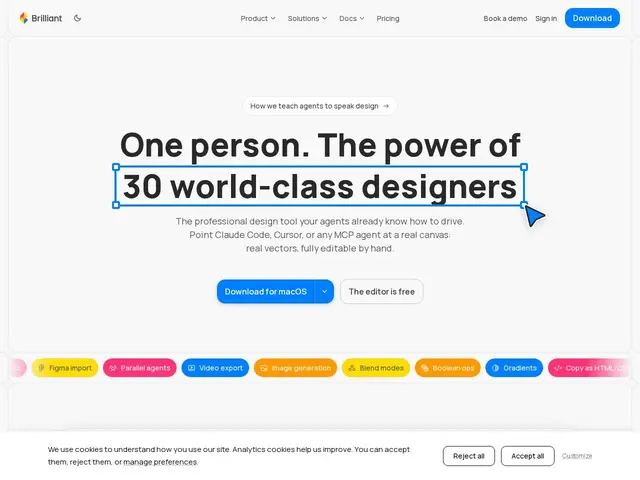
Description
Most design tools with "AI" bolted on just generate an HTML mockup you have to hand off to a developer to rebuild. Brilliant tries something different: a real design canvas where an AI agent can directly select, move, and edit the actual vector shapes — the same objects a human designer is working with — instead of guessing at a picture.
Brilliant is a vector design tool built around a plain-text "Blueprint" design language that both humans and AI agents can read and edit, enabling real-time collaborative editing on a shared canvas rather than AI-generated previews. It supports Figma round-trip import/sync, exports to React, HTML/CSS, SVG, PNG, PDF, and MP4, connects to Claude Code, Cursor, and Copilot via an MCP server, and lets users bring their own AI provider keys with no markup on AI usage costs.
💬 Our review
The short version: Brilliant's Blueprint format — a plain-text representation of the design that an AI can parse and edit directly — is a genuinely different approach from "AI generates an image, human rebuilds it," and it's the part worth paying attention to.
Against Figma, the dominant incumbent, Brilliant's differentiator is native AI-agent editing of real vector objects plus direct code export (React, HTML/CSS) rather than exporting flat assets for a developer to reimplement; against Framer, which also targets code-adjacent design, Brilliant leans harder into the AI-collaboration angle with MCP integration into coding assistants. Penpot remains the more mature open-source alternative if data ownership matters more than AI features. Brilliant is a young product competing against an extremely entrenched incumbent (Figma) with a massive plugin ecosystem it can't yet match, and its free tier is capped at 10 AI messages/day, which will feel limiting fast for anyone actually using the AI features daily. Worth trying if you specifically want an AI agent editing real vectors and exporting straight to code; if you're deep in an existing Figma-based team workflow, the switching cost likely isn't justified yet.
💰 Pricing
📊 Global score
🤖 AI-enriched data
Gratuit (10 messages IA/jour, 2 Go de stockage) ; Personal à 16 $/mois ou 192 $/an (IA illimitée, 50 Go) ; Team à 20 $/siège/mois, minimum 2 sièges (IA illimitée, 1 To mutualisé).
Pros
Édition vectorielle réelle par les agents IA, pas juste des aperçus HTML
Format Blueprint en texte brut, optimisé pour l'IA et le contrôle de version
Export direct vers React, HTML/CSS, SVG, PDF, vidéo
Intégration MCP avec Claude Code, Cursor, Copilot
Zéro marge sur les coûts IA (clés fournisseur personnelles)
Cons
Palier gratuit limité (10 messages IA/jour)
Écosystème de plugins bien plus restreint que Figma
Produit jeune face à un leader très établi
Coût d'apprentissage du format Blueprint pour les équipes habituées à Figma