IndexFlow-SEO
Open-source Rust library that checks a webpage's technical SEO health — canonical tags, robots directives, structured data — and audits whether AI crawlers like GPTBot are blocked or allowed.
🔗 Visit IndexFlow-SEO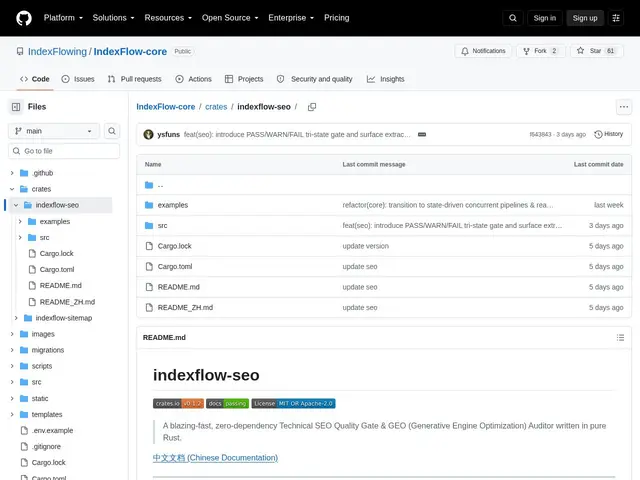
Description
Technical SEO — making sure a page's canonical tag, robots directives, and structured data are all set up correctly — is usually checked with browser extensions or paid SaaS audit tools, one page at a time, by a human. IndexFlow-SEO takes the same checks and turns them into a fast, embeddable code library, so developers building their own SEO tools, content platforms, or crawlers can run those checks automatically, at scale, as part of their own software rather than clicking through a dashboard.
IndexFlow-SEO is a zero-dependency Rust crate that validates HTTP status codes, canonical tag equivalence, robots directives, title/H1 tags, and extracts Schema.org structured data (including JSON-LD expansion), OpenGraph tags, Twitter Cards, and hreflang links — all through pure in-memory HTML scanning that's safe with CJK characters and emoji. A distinctive feature for 2026: it specifically audits AI-crawler exclusion rules, checking whether a site's robots.txt and X-Robots-Tag headers block or allow bots like GPTBot, PerplexityBot, ClaudeBot, and Google-Extended — a compliance check that didn't exist as a category two years ago. An optional async HTTP prober (with a 5 MiB response cap) is available via opt-in reqwest integration for teams that want live fetching built in rather than bringing their own HTTP client. It's MIT/Apache-2.0 licensed and published on crates.io.
💬 Our review
The short version: IndexFlow-SEO is a developer-facing library rather than a consumer tool, but its AI-crawler-auditing feature — checking whether GPTBot, ClaudeBot, and friends are blocked or allowed — is a genuinely current, useful capability that most established SEO-audit SaaS tools haven't caught up to yet.
Consumer-facing SEO audit tools (Screaming Frog, Ahrefs Site Audit, Sitebulb) dominate the "check my site's technical SEO" space, but they're standalone applications, not libraries — you can't easily embed Screaming Frog's checks inside your own crawler or content platform. IndexFlow-SEO's audience is different: developers who need these checks as code, running inside a CI/CD pipeline, a custom crawler, or a content management system, where a zero-dependency, high-performance Rust library is exactly the right shape. The tradeoff is real: it's not a tool you point at a URL and get a report from — you need to be writing Rust (or code that calls into it) to use it at all, which puts it out of reach for non-developers who'd be better served by Screaming Frog or Ahrefs directly. Worth adopting if you're building SEO tooling, a crawler, or a CMS and want technical SEO and AI-crawler checks baked in as a dependency; irrelevant if you just want to audit your own site through a UI.
💰 Pricing
📊 Global score
🤖 AI-enriched data
100% gratuit et open source (MIT/Apache-2.0), disponible sur crates.io
Pros
Bibliothèque zéro-dépendance, hautes performances (Rust)
Audit spécifique des crawlers IA (GPTBot, ClaudeBot, PerplexityBot...)
Extraction complète (Schema.org, OpenGraph, Twitter Cards, hreflang)
Open source, publié sur crates.io
Cons
Réservé aux développeurs Rust, pas un outil pour non-développeurs
Pas d'interface utilisateur, contrairement à Screaming Frog/Ahrefs
Projet jeune (v0.1.2), périmètre encore en évolution