Mole
Native Mac app that replaces a stack of separate utilities — cache cleanup, app uninstaller, disk analyzer, and live system monitor — with no subscription.
🔗 Visit Mole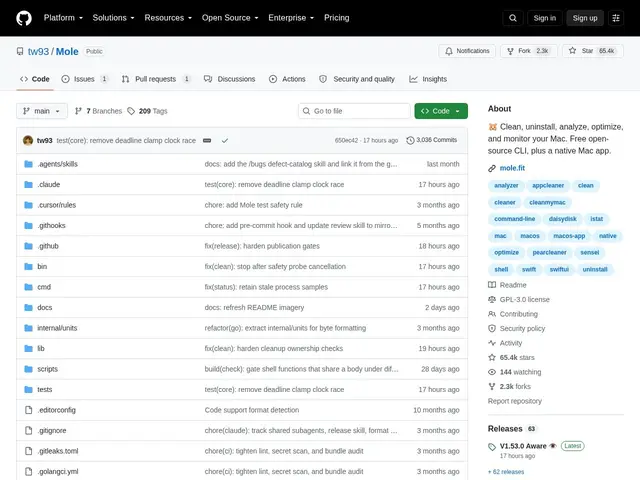
Description
If your Mac has gotten sluggish and you've got five different tools installed to fix it — one for clearing cache, one for uninstalling apps cleanly, one for checking what's eating your disk space, one for watching CPU and memory — Mole tries to replace all of them with a single free app.
Mole is an open-source (GPL-3.0) macOS utility that bundles five functions into one lightweight native app: cache and junk cleanup, a proper app uninstaller that removes leftover files, a visual disk-space analyzer, general system optimization, and a live status monitor for CPU, memory, and disk activity. It ships both as a native Mac app and as a free open-source CLI, with no subscription required for either. The project is actively maintained — a new release landed the same day these facts were checked — and has built a large following (65k+ GitHub stars), putting it in the same conversation as long-established paid tools like CleanMyMac, even though it costs a fraction of the price.
💬 Our review
The short version: Mole is a genuinely well-executed, actively maintained Mac utility that undercuts the market leader on price while covering most of the same ground — a strong pick if you're tired of subscription cleaner apps.
CleanMyMac remains the more polished, feature-complete option with more diagnostic depth, but it runs on a recurring subscription that adds up fast for something you might run a few times a month. Mole's $19-once pricing for the native app (with a fully free CLI alongside it) covers the same core jobs — cache cleanup, proper uninstalls, disk analysis, and live monitoring — without the ongoing cost, and being open source means you can verify what it's actually doing to your system rather than trusting a closed binary. The tradeoff is scope: dedicated tools like DaisyDisk still go deeper on disk visualization alone, and Mole is macOS-only with no roadmap mentioned for other platforms. For most people who just want their Mac decluttered without a subscription, it's an easy recommendation.
💰 Pricing
📊 Global score
🤖 AI-enriched data
CLI open source gratuite (GPL-3.0) ; application Mac native à 19 $ en achat unique pour 2 Mac, aucun abonnement
Pros
regroupe 5 outils (nettoyage, désinstallation, disque, optimisation, monitoring) en une seule app
pas d'abonnement, achat unique pour l'app native, CLI 100% gratuite
projet très actif et suivi (65k+ étoiles GitHub, mise à jour le jour même du contrôle)
licence open source (GPL-3.0), code auditable
Cons
app native payante (19 $) même si moins chère que la concurrence par abonnement
limité à macOS, aucune version Windows/Linux pour l'app native
moins de fonctionnalités avancées de diagnostic que certains outils spécialisés (ex. DaisyDisk pour la seule analyse disque)