Antigravity CLI
Google's terminal-based AI coding agent — multi-step reasoning, multi-file edits, and tool use, powered by Gemini (with optional Claude and open-source model backends).
🔗 Visit Antigravity CLI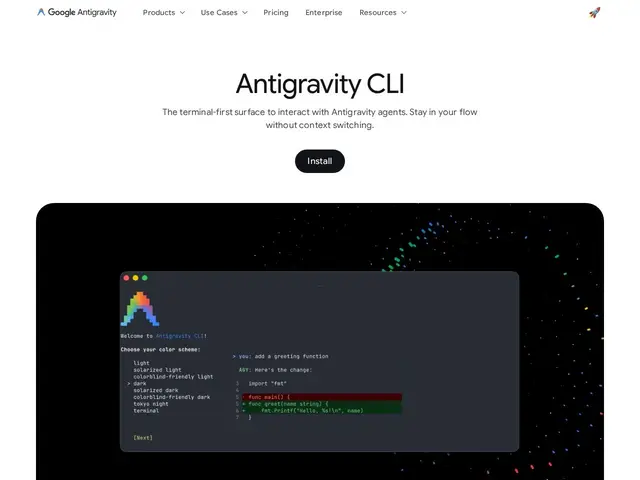
Description
Google's answer to terminal-native AI coding agents, Antigravity CLI brings the same reasoning engine behind Google's Antigravity IDE into a lightweight command-line tool — install it, point it at your terminal, and it can read your codebase, propose edits across multiple files, and run commands, all without leaving the keyboard.
Antigravity CLI is installed via a one-line curl/PowerShell script and runs as the `agy` command, offering multi-step reasoning, multi-file editing, tool calling, and persistent history, optimized for keyboard-driven workflows and remote SSH sessions with minimal resource overhead. It's powered primarily by Google's Gemini models, with optional support for Claude and open-source backends, and includes MCP (Model Context Protocol) support and parallel subagent orchestration for concurrent tasks. It replaced the free Google-account login path that made Gemini CLI popular, which was discontinued in June 2026. As of its public preview, it's free with metered usage (community reports suggest a ceiling of low tens of requests per day), with paid headroom available through Google's AI Pro ($20/month), Ultra ($100/month, ~5x quota) and Ultra Max ($200/month, ~20x quota) subscriptions, or $0.01 top-up credits.
💬 Our review
The short version: Antigravity CLI is a technically capable, Google-backed terminal coding agent, but its free tier is noticeably tighter than Gemini CLI's old free-account path was, and — unlike most of its direct competitors — it's closed source.
Against Claude Code, which pioneered much of the terminal-agent category and has a more established workflow and ecosystem, Antigravity CLI's main draw is native access to Google's latest Gemini models plus optional Claude support in one tool, and tight integration with the rest of Google's Antigravity IDE if you use it. Against open-source alternatives like Aider, or against Synara and Jean (which orchestrate multiple agents including Antigravity itself), Antigravity CLI is proprietary — you can't audit or self-host it, and Google controls the free-tier limits, which it has already tightened once since the Gemini CLI days. The free preview tier is genuinely usable for light work, but anyone doing serious daily coding will likely need Google AI Pro at $20/month, which is competitive with Claude Code and Cursor's own subscription pricing. If you're already in the Google ecosystem or want access to Gemini 3.1 Pro from the terminal, it's a solid pick; if vendor lock-in or open-source auditability matters to you, Aider or a self-hosted multi-agent tool is the safer bet.
💰 Pricing
📊 Global score
🤖 AI-enriched data
Gratuit en preview publique avec usage limité (rapports d'une limite de quelques dizaines de requêtes/jour) ; AI Pro à 20 $/mois, AI Ultra à 100 $/mois (~5x quota), Ultra Max à 200 $/mois (~20x quota), crédits d'appoint à 0,01 $
Pros
intégration native au terminal, workflow clavier optimisé
léger et rapide, faible surcharge de ressources
orchestration de sous-agents en parallèle pour des tâches concurrentes
optimisé pour SSH et les environnements distants
support de plugins et du protocole MCP intégré
accès aux derniers modèles Gemini, avec support optionnel de Claude
Cons
palier gratuit nettement plus restrictif que l'ancien accès gratuit de Gemini CLI
produit propriétaire, non open source contrairement à plusieurs concurrents
modèles et backends précis pas totalement transparents
documentation publique encore limitée sur la personnalisation