Valv Desktop
Free macOS desktop app for browsing and querying databases in natural language, built for teams pairing AI coding agents with real data.
🔗 Visit Valv Desktop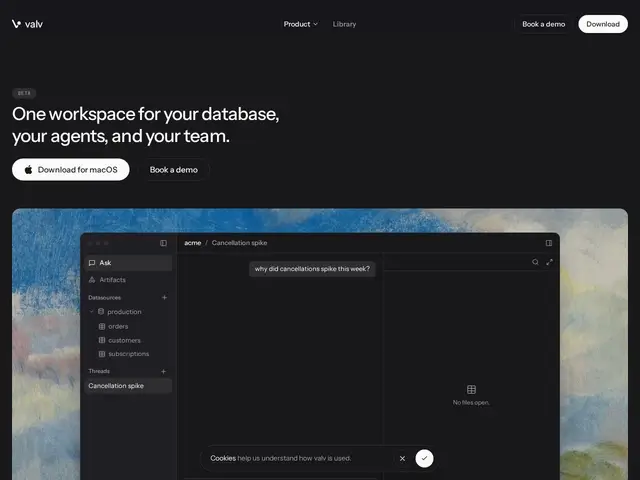
Description
Instead of writing raw SQL every time you or an AI coding assistant needs to peek at a database table, Valv Desktop gives you a local app where you can browse tables directly and ask questions in plain English, with your credentials never leaving your own machine.
Valv Desktop is a local-first macOS application that connects to your databases and supports natural-language queries alongside a traditional SQL editor and live table browsing. It's built to pair with AI coding agents — Claude Code, Cursor, Codex, and Grok are explicitly supported — and stores credentials in the OS keychain rather than a cloud service. Workspaces sync via git for team collaboration, and it includes PII field hiding for safer data sharing. It's currently a free macOS-only beta, with no public pricing tiers yet; enterprise inquiries go through a demo request.
💬 Our review
The short version: Valv Desktop is a solid, genuinely local-first database client for teams already working with AI coding agents day to day, but its macOS-only beta status and thin public documentation mean you should treat it as an early-stage tool, not a finished product to bet a workflow on yet.
Compared to established database GUIs like TablePlus, DBeaver, or Postico, which have been refined over years and work cross-platform, Valv Desktop's pitch is narrower but more current: natural-language querying and native support for the specific AI coding agents (Claude Code, Cursor, Codex, Grok) teams are actually using right now, plus git-synced workspaces for sharing queries and context across a team. The free beta with no credit card or API key requirement makes it low-risk to try, but the lack of a visible GitHub repository, API docs, or Windows/Linux support are real gaps if you need it as a permanent part of your stack rather than something to try alongside your existing DB client. If your team is entirely on macOS and already leans on AI coding agents for data work, it's worth testing; if you need cross-platform support today, stick with TablePlus or DBeaver.
💰 Pricing
📊 Global score
🤖 AI-enriched data
Bêta macOS entièrement gratuite, aucun palier payant public pour l'instant ; contact commercial pour les demandes Entreprise
Pros
requêtes en langage naturel intégrées
identifiants stockés localement (trousseau macOS)
workspaces synchronisés via git pour le travail d'équipe
support natif des principaux agents IA de code
Cons
macOS uniquement, pas de Windows/Linux
statut bêta, tarification future incertaine
documentation publique et dépôt GitHub peu visibles