Blender Agent Bridge
Free, open-source Blender extension that lets AI coding agents like Claude, Cursor, and Codex safely inspect and edit 3D scenes with reversible changes and visual proof of what they did.
🔗 Visit Blender Agent Bridge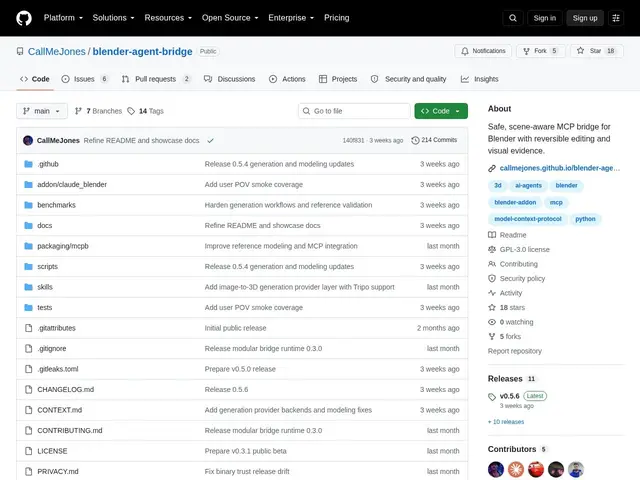
Description
If you've ever wished your AI coding assistant could actually see and touch your 3D scene in Blender — not just describe what it thinks might be there — this extension gives it eyes and careful hands, with an undo button always within reach.
Blender Agent Bridge runs an MCP (Model Context Protocol) server that lets AI clients such as Claude Desktop, Claude Code, Cursor, Codex, and VS Code extensions (Cline, Roo) inspect objects, materials, animations, rigs, cameras, and render settings inside Blender. Edits are reversible with visible Commit/Revert controls, and no API keys are ever exposed inside Blender itself. It also integrates with 3D asset providers (Poly Haven, Sketchfab, Tripo, Meshy, TripoSR) and can capture visual evidence through viewport screenshots, playblasts, or renders so the AI agent can confirm what it actually changed. It's free and open source under GPL-3.0-or-later, connects over localhost only, and has around 18 GitHub stars as of this writing.
💬 Our review
The short version: if you're already using an AI coding agent and want it to work directly inside Blender rather than just generating scripts you paste in yourself, Blender Agent Bridge is a thoughtfully safety-conscious way to do it — free, open source, and built around reversible edits rather than trusting the AI to get it right first try.
This sits in a small but growing category of MCP bridges for Blender — competing projects like blender-mcp (several different GitHub implementations) offer similar scene-control capabilities, often with larger tool counts (40-90+ operations) and bigger communities. Blender Agent Bridge's differentiator is its safety posture: reversible Commit/Revert controls, no exposed API keys, and visual evidence capture so you can verify what the AI actually did rather than trusting a text description. Its localhost-only design is a sensible security default but does rule out remote or cloud-based workflows. With only 18 GitHub stars at the time of writing, it's clearly newer and smaller than some alternatives — worth checking its issue tracker for activity before committing a production pipeline to it, though for personal or small-studio use, being free and open source means the switching cost to try it is essentially zero.
💰 Pricing
📊 Global score
🤖 AI-enriched data
100% gratuit, licence GPL-3.0-or-later
Pros
édits réversibles avec Commit/Revert
aucune clé API exposée dans Blender
capture de preuve visuelle (viewport/render)
gratuit et open source
Cons
connexion localhost uniquement, pas de workflows distants
communauté encore petite (18 étoiles GitHub)
nécessite de configurer MCP + client IA