Archify
Agent skill that turns a codebase or system description into interactive, verifiable architecture and workflow diagrams — self-contained HTML, no server needed.
🔗 Visit Archify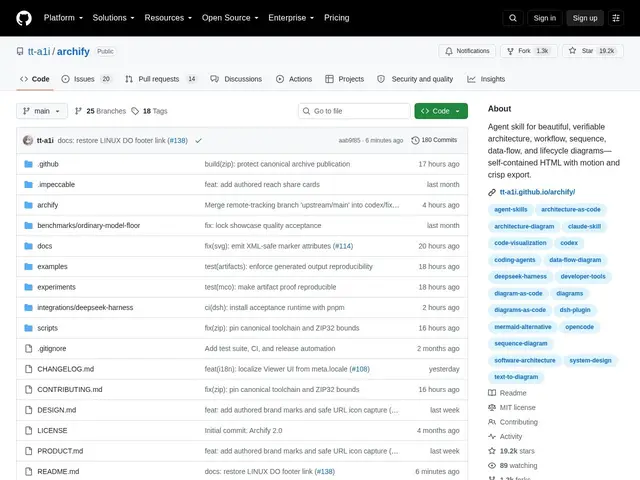
Description
Architecture diagrams tend to rot the moment they're drawn by hand: someone changes the system, forgets to update the diagram, and six months later it's actively misleading. Archify tries to close that gap by making diagram generation something your AI coding assistant does as part of its normal work — describe the system, and it produces a diagram that's data-backed rather than hand-drawn, so regenerating it after a change is as cheap as asking again.
Archify is an agent skill that plugs into Cursor, Claude Code, Codex CLI, OpenCode, Raven, and DeepSeek Harness. Agents feed it a typed JSON intermediate representation, and Archify deterministically compiles that into a self-contained HTML/SVG diagram — no external rendering service required. It covers five diagram types (architecture, workflow, sequence, data-flow, lifecycle), with dark/light themes, motion, and export to PNG, SVG, WebM, or 1200×630 share cards. Its standout feature is Architecture Delta: comparing two validated snapshots to show exactly what was added, removed, changed, moved, or rerouted between them — useful for reviewing what an architecture change actually did before merging a PR. It's Node.js-based, MIT-licensed, and at version 2.16.0 is past its earliest, most unstable phase.
💬 Our review
The short version: Archify is a solid pick if your team already works inside an AI coding agent and wants diagrams that stay in sync with the actual system instead of going stale in a wiki page — the Architecture Delta feature for reviewing changes before merge is the standout reason to use it over a generic diagramming tool.
Mermaid is the closest lightweight comparison — free, text-to-diagram, widely supported in docs and READMEs — but it's manually authored and doesn't verify against your actual codebase or track deltas between versions; Excalidraw is great for freeform whiteboard-style diagrams but is entirely manual too. Archify's differentiator is that it's designed to be driven by an AI agent working from a typed JSON representation, so diagrams can be regenerated automatically as the system changes, and the delta comparison gives you something neither Mermaid nor Excalidraw offers: an actual diff view of architecture changes. It's free and open source, so there's no cost tradeoff, but it only pays off if you're already using one of its supported AI coding harnesses — if you just want to sketch a quick diagram by hand, Mermaid or Excalidraw is simpler. Worth it for teams doing AI-agent-driven development who want diagrams that don't go stale; unnecessary overhead for a one-off manual diagram. <!-- ai-generated -->
💰 Pricing
📊 Global score
🤖 AI-enriched data
Open source (MIT), gratuit
Pros
5 types de diagrammes (architecture, workflow, séquence, data-flow, lifecycle)
fonction Architecture Delta : comparaison before/after entre deux snapshots
compilation déterministe en HTML/SVG auto-contenu, aucun service externe requis
export PNG/SVG/WebM/share cards, thèmes dark/light
intégration directe avec les principaux harnais de code IA (Cursor, Claude Code, Codex CLI, OpenCode)
Cons
ne prend tout son intérêt que si l'équipe utilise déjà un harnais de code IA compatible
pas d'éditeur visuel manuel type Excalidraw pour ajuster librement un diagramme
projet encore relativement jeune malgré la v2.16.0