Heretic
Open-source CLI that automatically removes safety-alignment refusals from open-weight language models using directional ablation, without retraining.
🔗 Visit Heretic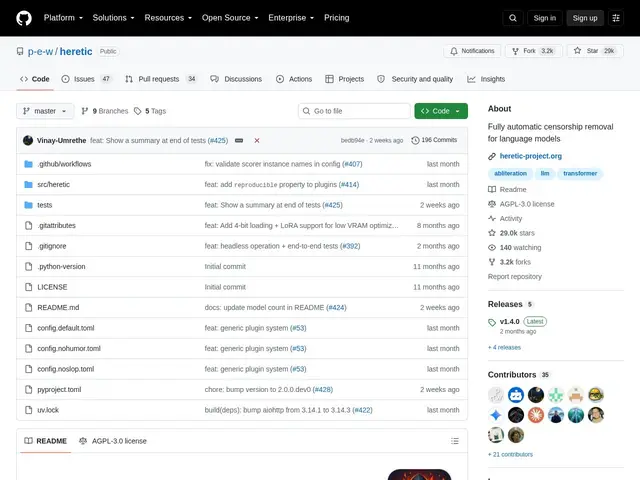
Description
Open-weight language models ship with built-in refusal behavior — they decline certain requests as part of their safety training. Removing that behavior traditionally required expensive fine-tuning or manual trial and error to find the right internal parameters to adjust. Heretic automates that process: it searches for the parameters that minimize refusals while preserving as much of the model's original capability as possible, and produces a modified model you can run directly.
Heretic is a Python (PyTorch 2.2+) command-line tool that identifies and orthogonalizes each transformer layer's weight matrices against the internal "refusal directions" the model uses to decline requests, a technique known as directional ablation or abliteration. Rather than requiring the user to manually tune ablation parameters, it uses a TPE-based optimizer (via Optuna) to automatically search for parameters that jointly minimize refusal rate and KL divergence from the original model — the goal being a model that refuses less while staying as close as possible to the original in every other respect. It supports most dense models, several multimodal models, MoE architectures, and some hybrid models. Usage is a single command: `pip install heretic-llm && heretic <model-name>`. It's AGPL-3.0 licensed, with roughly 29,000 GitHub stars and an active contributor community.
💬 Our review
The short version: Heretic is a well-engineered, widely-used tool for a specific and well-understood technique (abliteration) in the open-weights ML community — worth knowing about if you work with local open models and need to understand or modify their refusal behavior for research, red-teaming, or custom deployment purposes, and its automatic parameter search is a genuine improvement over manual abliteration scripts.
Most prior abliteration tools (like earlier FailSpy-style scripts) required manually picking which layer and direction to ablate through trial and error; Heretic's contribution is automating that search with a proper optimizer (Optuna/TPE) that balances refusal reduction against preserving the model's original capabilities, which produces more consistent results with less manual tuning. It's free, open source (AGPL-3.0), and requires only a standard PyTorch setup, so there's no cost barrier — the real consideration is intent and context: this is a dual-use technique, valuable for AI safety research, red-teaming, and customizing self-hosted models, and it carries the same responsible-use considerations as any tool that modifies model safety behavior. Worth it for ML researchers and engineers who need to study or adjust alignment behavior in open-weight models they control; not a tool relevant to anyone not already working directly with local model weights. <!-- ai-generated -->
💰 Pricing
📊 Global score
🤖 AI-enriched data
Open source (AGPL-3.0), gratuit
Pros
optimisation automatique des paramètres d'ablation (Optuna/TPE), plus fiable que le réglage manuel
co-minimise le taux de refus et la divergence par rapport au modèle original
supporte modèles denses, multimodaux, MoE et hybrides
usage en une seule commande CLI
gratuit, open source, communauté active (~29k stars)
Cons
technique à double usage, nécessite un cadre d'utilisation responsable
résultats variables selon l'architecture du modèle ciblé
nécessite une bonne compréhension technique de PyTorch/ML pour un usage avancé