winuse
Open-source native GUI automation toolkit with a Rust core and Python bindings, letting AI agents click, type and read desktop UI elements on macOS and Windows.
🔗 Visit winuse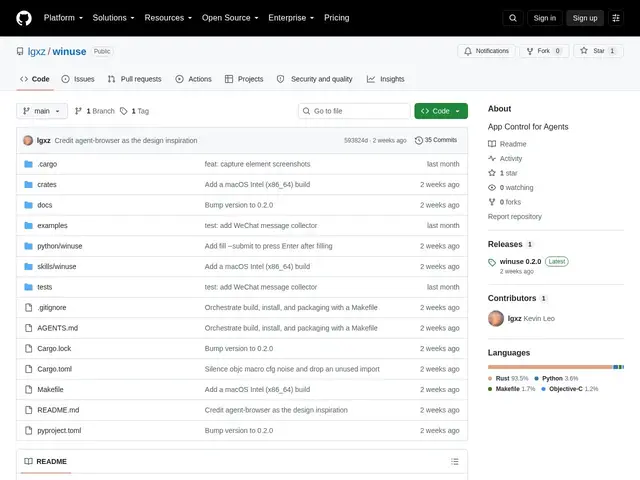
Description
AI agents that need to control a desktop app usually fall back on taking a screenshot and asking a model to guess where to click, which is slow, expensive in tokens, and breaks the moment a window resizes. winuse takes a different approach: it reads the operating system's own accessibility layer to find buttons, fields and windows by name and role, then clicks or types on them directly.
winuse is built as a Rust core with a Python API and an agent-oriented CLI, exposing window management, element discovery and interaction (click, type, drag), clipboard operations, screenshot capture of specific UI elements, and asynchronous monitoring of UI state changes. It works across macOS (via the Accessibility API) and Windows (via UI Automation), returning structured JSON so an AI agent, or a regular automation script, can act on real interface elements instead of pixel coordinates.
💬 Our review
The short version: winuse is a technically solid idea, accessibility-tree-based desktop automation instead of screenshot guessing, but it's a brand-new, single-author project with almost no adoption yet, so it's for early adopters comfortable debugging rough edges, not for production automation you depend on.
The accessibility-API approach it's built on is the same one used by more mature agent-desktop tools and by classic automation frameworks like AutoIt/AutoHotkey (Windows-only) or Applescript (macOS-only); winuse's pitch is doing both platforms through one Rust/Python interface. With just 1 star and 35 commits, there's no real evidence yet of how it holds up outside its own examples, and it's free, so the only real cost is your time evaluating whether it's stable enough for your use case today.
💰 Pricing
📊 Global score
🤖 AI-enriched data
Open-source, gratuit
Pros
automatisation macOS ET Windows via une seule interface
cœur Rust performant + bindings Python natifs
sélection sémantique des éléments (par rôle/nom, pas par pixel)
surveillance async de l'état de l'UI, capture d'écran ciblée
orienté agents IA dès sa conception
Cons
projet très jeune, quasi aucune adoption (1 étoile, 35 commits)
aucune release formelle ni garantie de stabilité
macOS exige des permissions Accessibilité/Enregistrement d'écran
documentation limitée à un fichier SKILL.md