Agent Desktop
Open-source Rust CLI that lets AI agents control desktop applications through accessibility APIs and stable element references, instead of screenshots or pixel matching.
🔗 Visit Agent Desktop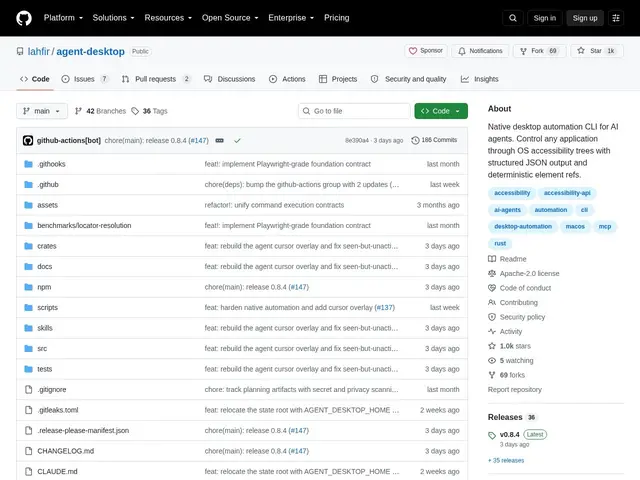
Description
Screenshot-based AI automation has a basic problem: sending a picture of the whole screen to a model to figure out where to click burns a huge number of tokens and breaks the moment anything moves. Agent Desktop solves this by having the agent talk directly to the operating system's accessibility layer instead, the same system screen readers use, so it can reference "the Save button in this dialog" by a stable ID rather than by pixel coordinates.
It ships as a single compiled Rust binary with no runtime dependencies, exposing 54 commands (observe, interact, keyboard, mouse, clipboard, window management) and a snapshot system that assigns qualified references to UI elements (like @s8f3k2p9:e1) so an agent's actions stay deterministic across steps. A progressive "skeleton" traversal mode cuts token usage by 78-96% on dense interfaces compared to sending full accessibility trees, and C-ABI bindings let it be called from Python, Swift, Go, Ruby or Node, alongside native Chrome DevTools Protocol support for Chromium-based apps.
💬 Our review
The short version: Agent Desktop is a well-engineered, actively maintained take on accessibility-based desktop automation for AI agents, worth adopting if you're macOS-only today, but it can't help you if your automation needs to run on Windows or Linux right now.
Its core idea, structured element references instead of screenshots, is the same philosophy driving newer agent-automation tools broadly (and mirrors why Playwright/Puppeteer moved away from pure pixel matching for web automation years ago); Agent Desktop's specific edge is the token-efficiency work (skeleton traversal, up to 96% reduction) and genuinely broad language bindings via C-ABI. It's free and actively shipped (npm distribution, CI/CD, multiple channels), which is a good sign for a young project, but the macOS-only limitation is a hard blocker if your target is cross-platform; Windows and Linux support is listed as planned, not shipped.
💰 Pricing
📊 Global score
🤖 AI-enriched data
Open-source, gratuit
Pros
références d'éléments déterministes, pas de fragilité liée aux captures d'écran
réduction extrême de tokens (78-96%) sur interfaces denses grâce au mode skeleton
binaire unique sans dépendance runtime
bindings multi-langages via FFI C-ABI (Python, Swift, Go, Ruby, Node)
maintenance active : CI/CD, releases régulières, distribution npm
Cons
macOS uniquement pour l'instant (Windows/Linux annoncés, pas livrés)
modèle mental différent des outils screenshot-based (Playwright, Puppeteer)
dépend de la bonne implémentation de l'accessibilité par l'app cible
pas de repli pixel si une app n'expose pas correctement son accessibilité