Leadcode
Terminal identity manager for freelancers juggling multiple clients, isolates GitHub, Claude, and API credentials per workspace.
🔗 Visit Leadcode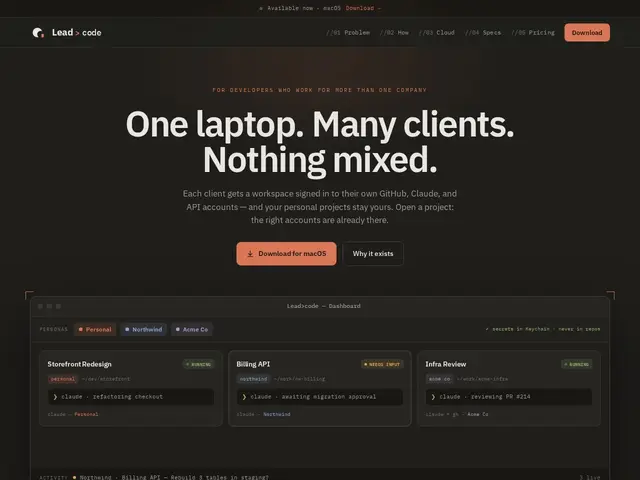
Description
If you're a freelance developer working for several clients at once, you've probably felt the low-grade dread of wondering whether you just pushed a commit under the wrong GitHub account, or whether a client's API key is sitting in the wrong terminal tab. Leadcode is built to make that mistake structurally impossible: it keeps a separate, isolated workspace for each client, with its own credentials, so you can't accidentally cross the streams.
Leadcode runs as a native macOS terminal tool (an 8MB binary) that manages per-client workspaces with isolated GitHub, Claude, and API account signing, storing secrets in the macOS Keychain rather than in any repo or config file. Its 'fails closed' router actively scrubs ambient credentials from each session and refuses to make unsafe assumptions about which account should be active. It supports cloud identity binding for gcloud, Firebase, AWS, and GitHub, and includes 104 automated security tests backing its isolation guarantees.
💬 Our review
The short version: Leadcode solves a real, specific pain for freelancers and agencies, accidentally using the wrong client's credentials, and it does it well, but it's macOS-only and worth the $12/month mainly once you're juggling three or more active clients.
There isn't a direct competitor doing exactly this; most freelancers cobble together shell profiles, direnv, or separate machine users to achieve rough credential isolation manually, which is fragile and easy to get wrong under deadline pressure. Leadcode's fail-closed design, it refuses to guess rather than silently using the wrong account, is the right default for this problem. The free Solo tier only allows one live account per provider after a 14-day trial, which will feel limiting fast if you actually have multiple clients, that's exactly when the $12/month Pro tier becomes worth paying for the peace of mind alone.
💰 Pricing
📊 Global score
🤖 AI-enriched data
Gratuit limité à 1 compte/provider après essai ; Pro $12/mois illimité ; Team $20/siège/mois
Pros
isole complètement les credentials par client
credentials jamais stockés dans un repo (Keychain macOS)
routeur fail-closed, refuse les suppositions dangereuses
104 tests de sécurité automatisés
binding identité cloud (gcloud/Firebase/AWS/GitHub)
Cons
macOS uniquement
palier gratuit limité à 1 compte par provider après l'essai
aucune alternative directe pour comparer objectivement le prix