iCloud Keychain for Linux
Unofficial client that brings iCloud Keychain passwords to Linux, with a browser extension for autofill.
🔗 Visit iCloud Keychain for Linux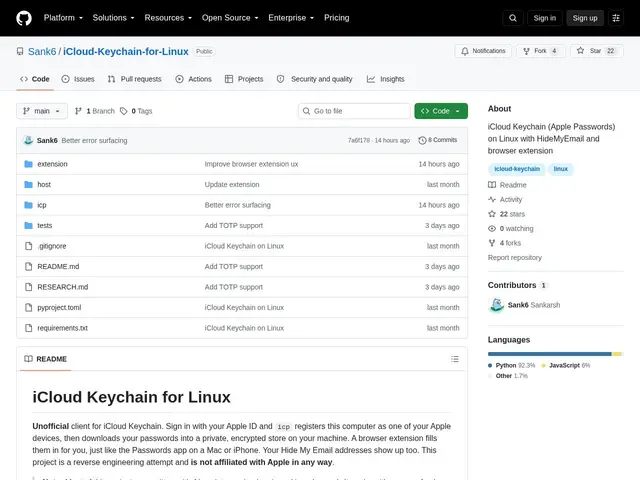
Description
Switching from a Mac to Linux, or just running Linux alongside an iPhone, usually means losing easy access to all the passwords Apple has been quietly saving in iCloud Keychain, Apple doesn't offer a Linux app for that. This project fills that gap: it lets you sign in with your Apple ID and pull your saved passwords onto your Linux machine, where a browser extension can then autofill them like a normal password manager.
The tool authenticates with Apple ID (including two-factor codes), registers the Linux machine as a trusted Apple device, and downloads Keychain entries into an encrypted local store. A companion browser extension for Chromium/Firefox handles autofill, and the project also integrates with Apple's Hide My Email feature and supports automatic background syncing at configurable intervals. It depends on the community anisette-v3-server project (via Docker/Podman) to emulate the device attestation Apple's servers expect.
💬 Our review
The short version: this is a genuinely useful niche tool for anyone stuck without Apple's own Keychain client on Linux, but it's an unofficial reverse-engineered client with real dependency and trust trade-offs to weigh.
There's no official alternative, Apple simply doesn't ship Linux software for this, so the practical comparison is against not having Keychain access at all, or switching to a fully cross-platform manager like Bitwarden or 1Password instead. Because it depends on reverse-engineered Apple device attestation (anisette-v3-server) to work, it's inherently more fragile to Apple-side changes than an official client would be, and handing Apple ID credentials to a third-party open-source tool is a real trust decision even with local encrypted storage. With 22 stars it has a modest but genuine community behind it. Worth trying if the alternative is doing without; if you're starting fresh, a cross-platform manager avoids the whole problem.
💰 Pricing
📊 Global score
🤖 AI-enriched data
Gratuit, open-source
Pros
seule option connue pour accéder à iCloud Keychain sous Linux
stockage local chiffré
extension navigateur pour l'autofill
intégration Hide My Email
gratuit, open-source
Cons
client non-officiel, reverse-engineered — fragile aux changements côté Apple
dépend d'un composant tiers (anisette-v3-server)
implique de confier ses identifiants Apple ID à un outil tiers