Emdash
An open-source desktop environment that runs multiple coding agents (Claude Code, Cursor, Codex, and 20+ others) in parallel, each in its own isolated Git worktree.
🔗 Visit Emdash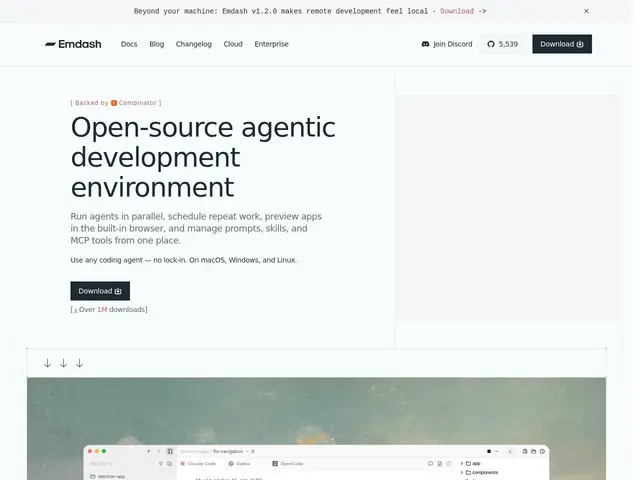
Description
If you've ever wished you could hand off three different coding tasks to three different AI assistants at once and check on all of them from one screen, Emdash is built for exactly that. It's a desktop app that lets you run several AI coding agents side by side — each working in its own isolated copy of your codebase (a Git worktree) so they can't step on each other's changes — while you preview the running app, review diffs, and manage everything from a single window instead of juggling terminal tabs.
Technically, Emdash orchestrates 25+ coding agents (Claude Code, Codex, Cursor, Amp, Antigravity, and others) without vendor lock-in, giving each one an isolated Git worktree so parallel tasks don't conflict. It includes a built-in browser for live-previewing whatever the agent is building, integrations with issue trackers (Linear, Jira, GitHub, Notion, Asana), diff review and pull-request management, scheduled recurring task automation, remote SSH development, and centralized management of prompts, skills, and MCP tools. It's fully open-source, cross-platform (macOS, Windows, Linux), and Y Combinator-backed (W26), with 5,500+ GitHub stars as of its last count.
💬 Our review
The short version: if you're already running multiple coding agents and losing track of which terminal is doing what, Emdash's isolated-worktree parallelism is a real, well-executed solve — and being free and open-source removes the usual reason to hesitate.
Against rolling your own setup with git worktrees and tmux panes, Emdash's advantage is the polish: a built-in browser preview, issue-tracker integration, and PR review baked in, rather than assembled from scripts. Against paid alternatives that lock you into one agent vendor, Emdash's explicit no-lock-in stance (25+ supported agents) is a meaningful differentiator for teams hedging between Claude Code, Cursor, and Codex. The honest caveat: this only pays off if you're actually running agents in parallel — for single-agent, single-task workflows it's unnecessary overhead, and as a young YC-backed open-source project, expect some rough edges compared to a mature IDE. Pick it if multi-agent parallel work is your actual bottleneck.
💰 Pricing
📊 Global score
🤖 AI-enriched data
Completely free and open-source. No pricing tiers or commercial licensing.
Pros
Runs 25+ coding agents in parallel without vendor lock-in
Isolated Git worktrees prevent parallel tasks from conflicting
Built-in browser for live app previewing
Free and fully open-source
Issue tracker integrations (Linear, Jira, GitHub, Notion, Asana) and PR review built in
Cons
Only valuable if you're actually running agents in parallel — overkill for single-task workflows
Young project (YC W26) — less mature/polished than established IDEs
Requires comfort managing multiple concurrent agent sessions
Scheduled task automation still labeled Alpha in some areas