Talos
Talos is an open-source AI agent that executes shell commands, code, and browser tasks through a security kernel requiring explicit, time-limited permission for every action.
🔗 Visit Talos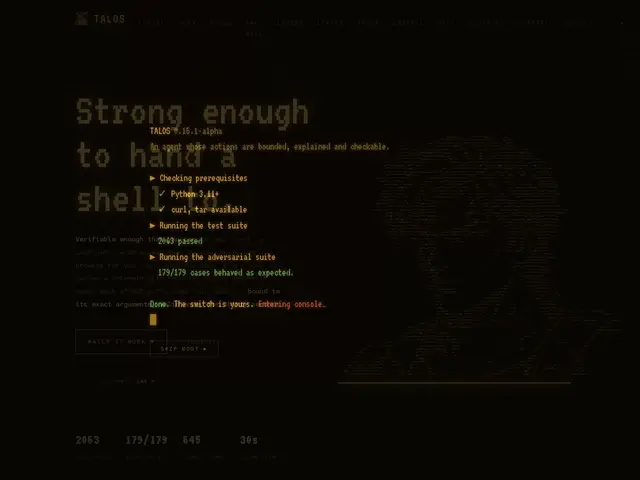
Description
Handing an AI assistant the keys to your computer's command line is unsettling — it might run the wrong command, or the right command with the wrong arguments, and there's no undo button once it's done. Talos tries to solve that problem the way an airport security checkpoint works: nothing gets through without being checked first, and every pass is single-use. It's an open-source AI agent you can point at real work — writing code, running shell commands, browsing the web — but every action it wants to take has to be explicitly cleared first, and that clearance expires after 30 seconds and covers only that exact action.
Under the hood, Talos separates the 'model' (which proposes actions) from a 'kernel' (which decides whether to allow them) — an architecture the project sums up as 'model proposes, kernel decides.' Permissions are capability tokens scoped to a specific tool and its exact arguments, single-use and short-lived, rather than broad allow-lists. Shell commands run inside an OS-level sandbox (bubblewrap on Linux, sandbox-exec on macOS), and the agent ships with 23 declared tools across read, write, and exec operations. It can be driven from a terminal, Telegram, email, or WhatsApp, and includes emergency controls like /stop, /undo, and an /autonomy dial. It runs on Claude via the Claude Code CLI (OAuth, no separate API billing) as its default backend, with a pluggable provider layer for others.
💬 Our review
The short version: Talos is a genuinely interesting attempt to make AI agents with shell access safer, though at 8 GitHub stars and a few weeks old, it's very early and largely unproven outside its own test suite.
Compared to broader agent frameworks like Open Interpreter or AutoGPT, which mostly rely on prompt-level guardrails or manual confirmation prompts, Talos's kernel-level, capability-token approach to permissions is a meaningfully stricter security model — closer in spirit to how Claude Code's own permission system works, but implemented as a standalone, self-hostable layer with real OS sandboxing baked in. The project backs its claims with an actual test suite (2000+ unit tests, ~180 adversarial cases) rather than just marketing copy, which is refreshing for a security-focused agent tool. The catch: it's Linux/macOS only, tightly coupled to Claude Code CLI as the default brain, and as a brand-new project with a single-digit star count it hasn't had much outside scrutiny yet. Free and MIT-licensed, so the cost of trying it is just your time — treat it as an early-stage tool, not a hardened production system.
💰 Pricing
📊 Global score
🤖 AI-enriched data
Free and open source (MIT license). Requires a Claude account via the Claude Code CLI (OAuth) as the default LLM backend; no separate fee from Talos itself.
Pros
Capability-token permission model scoped to exact tool + arguments, single-use and time-limited
OS-level sandboxing (bubblewrap/sandbox-exec), not just prompt-level guardrails
Emergency controls: /stop, /undo, /autonomy
Backed by a real automated test suite (2000+ unit + ~180 adversarial tests)
Cons
Very new project (created Aug 2026) with only a handful of GitHub stars
Linux/macOS only, no Windows support
Defaults to Claude via the Claude Code CLI as the LLM backend
No hosted/managed option — self-setup via CLI required