Puppetflow
Puppetflow is a visual, self-hostable platform for building and running browser automation workflows powered by Puppeteer, with live session monitoring and human-in-the-loop approvals.
🔗 Visit Puppetflow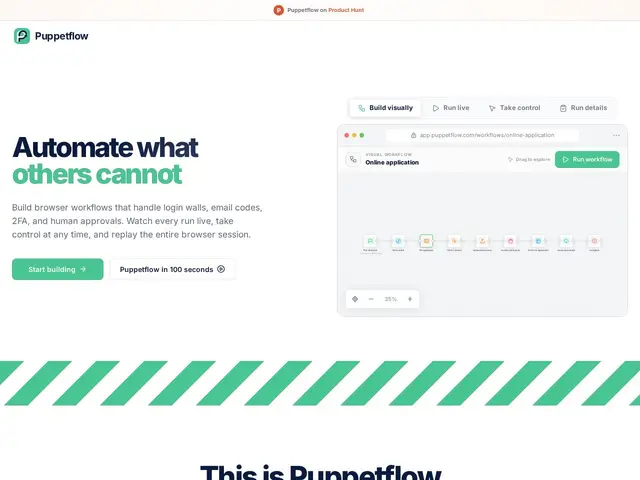
Description
Some tasks on the web still can't be done through an API — logging into an old supplier portal, downloading an invoice, clicking through a two-factor code sent by email. Puppetflow is built for exactly that kind of grunt work: instead of writing a fragile script, you build a visual workflow that drives a real browser, and if something needs a human (approving a payment, entering a one-time code), the workflow pauses and pings you on Slack, Discord, or Telegram until you respond.
Technically, Puppetflow is a workflow engine on top of Puppeteer (Node.js browser automation): flows are built visually or in JavaScript, can be scheduled or triggered manually, and every run can be watched live, recorded as an MP4, or replayed later from stored artifacts and logs. It handles TOTP/2FA codes at runtime, reads verification emails from a dedicated inbox, and pulls secrets from a vault (including 1Password) instead of hardcoding them. It integrates with n8n for teams combining browser steps with API-based automation, and ships an MCP server so AI agents can trigger flows directly. Puppetflow offers both a hosted cloud version and a source-available self-hosted edition deployable via Docker, though production use of some proprietary features requires a paid subscription.
💬 Our review
The short version: Puppetflow is a promising, well-documented way to automate browser tasks that don't have an API, but it's a very young project (created August 2026, 6 GitHub stars) so treat it as early-stage rather than a proven workhorse.
Against general workflow tools like n8n (which it actually integrates with) and managed headless-browser infrastructure like Browserless or Browserbase, Puppetflow's pitch is bundling a visual builder, human-in-the-loop approval steps, and native 2FA/email-code handling into one product — things you'd otherwise stitch together yourself with raw Puppeteer/Playwright scripts plus a separate approval bot. The dual-license model (source-available core, paid proprietary features for commercial self-hosting) is a reasonable structure but means the free self-hosted tier is really aimed at personal or evaluation use, not production. Neither the cloud pricing nor the paid self-hosted tier is published, which makes value-for-money hard to judge today — worth trying the free cloud demo before committing further.
💰 Pricing
📊 Global score
🤖 AI-enriched data
Cloud: free workflow demo, no credit card required, paid plans not publicly priced. Self-hosted: source-available Community edition free for personal/non-commercial use via Docker; commercial/production use of proprietary features requires a paid subscription (price not published).
Pros
Visual + JavaScript workflow builder on top of Puppeteer
Built-in TOTP/2FA and email verification-code handling
Human-in-the-loop approvals via Slack/Discord/Telegram
Live session viewing, MP4 recording, and full run history
Cons
Very young project (created Aug 2026, single-digit GitHub stars)
Pricing for both cloud and self-hosted commercial tiers not publicly listed
Dual-license model gates some features behind a paid subscription for production/commercial use
Conflicting info between docs site and repo README on self-hosting readiness — approach with caution