Clean My Sheet
A browser-based tool that cleans messy CSV and Excel files -- fixing duplicates, dates, names, and phone numbers -- entirely on your device, without uploading your data anywhere.
🔗 Visit Clean My Sheet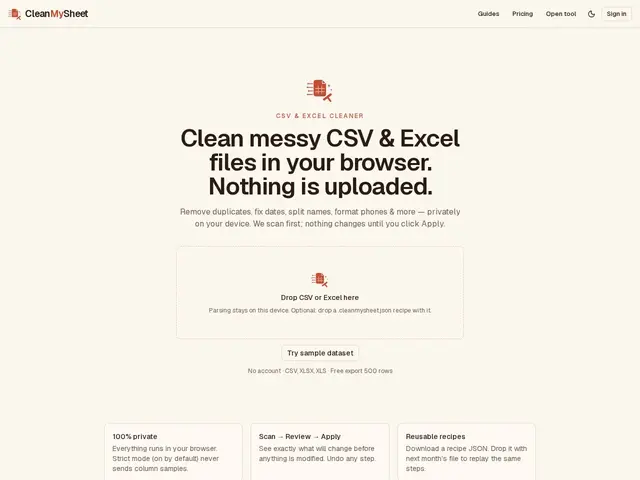
Description
Anyone who has opened a CSV export from a CRM, bank, or survey tool knows the drill: duplicate rows, three different date formats in the same column, phone numbers with random punctuation, and names crammed into a single cell. Clean My Sheet is like having a meticulous assistant scan that mess for you and point out exactly what is wrong before touching anything -- you approve each fix, and it never deletes anything you did not explicitly ask it to.
What sets it apart technically is where the work happens: everything runs inside your browser tab rather than on a remote server, so in its default 'Strict mode' your spreadsheet data is never uploaded anywhere, which matters if the file contains customer names, phone numbers, or financial details. It follows a scan-review-apply workflow with full undo, parses CSV, XLSX, and XLS files (including multi-sheet workbooks and Excel's serial date format) using the open-source SheetJS library, and offers presets tuned for CRM, finance, and survey exports. Its fuzzy-matching duplicate detector flags likely near-duplicates like 'John Smith' and 'Jon Smith' for a human to decide on, rather than silently merging or deleting rows. Cleaning steps can be saved as a reusable 'recipe' JSON file and replayed on next month's export. The free tier caps CSV exports at 500 rows; a $9/month Pro plan removing that cap is listed as 'launching soon' but was not yet purchasable at time of review.
💬 Our review
The short version: Clean My Sheet does one job well -- cleaning messy spreadsheet exports without uploading your data -- and its privacy-first, browser-only approach is a genuinely useful differentiator, though it is a very new product with an unlaunched paid tier.
Against general-purpose data-cleaning tools like OpenRefine, Clean My Sheet trades OpenRefine's much deeper scripting and faceting power for a far gentler, guided, preset-based workflow aimed at non-programmers -- a fair trade for someone who just needs to fix a CRM export, a bad one for anyone who needs custom transformation logic. Against spending fifteen minutes doing the same fixes manually in Excel or Google Sheets, it is faster and safer (no accidental overwrite, full undo, reusable recipes), and its client-side-only processing is a real advantage over cloud-based cleaners like Trifacta/Alteryx Designer Cloud for anyone handling sensitive customer data that cannot be uploaded to a third-party server. The catch: the free tier's 500-row export cap will be a hard wall for anyone cleaning real CRM-sized exports, and the $9/month Pro plan that removes it was not actually purchasable at the time of this review, so its real-world value for money cannot yet be judged. Good tool to bookmark; not yet provably good enough to build a workflow around.
💰 Pricing
📊 Global score
🤖 AI-enriched data
Free: unlimited preview, CSV export capped at 500 rows, no account required. Pro ($9/month) listed as 'launching soon,' promising uncapped exports; not yet purchasable at time of review.
Pros
100% client-side processing -- files never uploaded in Strict mode
Fuzzy duplicate detection flags near-matches for review instead of auto-deleting
Scan -> Review -> Apply workflow with full undo
Reusable recipe JSON replays cleaning steps on future files
CRM, finance, and survey-specific presets
Cons
Free export capped at 500 rows -- a hard limit for larger CRM exports
$9/month Pro plan is listed as 'launching soon' but was not purchasable at time of review
No scripting/custom-transformation power like OpenRefine
Very new product, no named company or track record beyond its Show HN launch