AppScreenshots
An AI-powered browser editor that turns raw app screenshots into polished, store-ready marketing images for the App Store, Google Play, Chrome Web Store, and Huawei AppGallery.
🔗 Visit AppScreenshots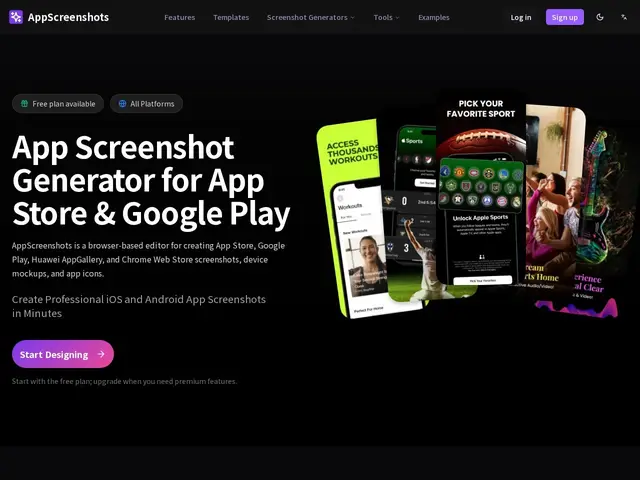
Description
Getting a new app noticed starts with its store listing, and the screenshots are usually what makes or breaks a download decision — but most indie developers aren't designers, and hiring one for a handful of marketing images is overkill. AppScreenshots works like a photo booth for your app: you drop in raw screenshots, pick from more than 50 device frames, and it hands back polished, on-brand images sized exactly to what each app store expects.
Under the hood it's a browser-based editor with AI generation built in — describe a screenshot set in plain text and it drafts the frames, headlines, and backgrounds for you, which you can then adjust manually with highlight and annotation tools. It covers the four major storefronts (Apple App Store, Google Play, Chrome Web Store, Huawei AppGallery), each with its own required image dimensions, and exports everything in one click. For teams shipping to multiple markets, it supports 14+ languages with AI-assisted translation and font recommendations, then batch-exports the whole set as a ZIP organized by language — the tedious part most people would otherwise do by hand in Figma or Sketch.
💬 Our review
The short version: if you need decent-looking app store screenshots fast and don't want to pay a designer, AppScreenshots gets you there in an afternoon, though the free tier is stingy enough that you'll likely hit the paywall quickly.
The free plan caps out at 2 projects and a single lifetime AI workflow, which is really just enough to try the product, not to run an actual launch. From there it's $99/year for unlimited projects and 30 AI workflows per cycle, or $199 once for unlimited projects but only 5 AI workflows a month — the Lifetime plan trades ongoing AI generation for a flat cost, so it suits someone who mostly reuses templates rather than regenerating sets often. Compared to Fastlane's frameit (free, open-source, but requires local setup and no AI generation) or established paid tools like AppLaunchpad and Previewed, AppScreenshots' edge is the AI-first workflow and built-in translation; its weakness is being a newer, less-proven product without the years of templates and reviews those competitors have accumulated.
💰 Pricing
📊 Global score
🤖 AI-enriched data
Free (2 projects, 1 AI workflow); Pro $99/year (unlimited projects, 30 AI workflows/cycle); Lifetime $199 one-time (unlimited projects, 5 AI workflows/month)
Pros
AI generates full screenshot sets and captions from a text description
50+ device frames covering iOS, Android, Chrome Web Store, and Huawei AppGallery
Batch export organized by language across 14+ languages
One-time Lifetime plan avoids a recurring subscription
Cons
Free tier is very limited (2 projects, 1 AI workflow)
AI workflow quotas persist even on paid plans
Newer product without the track record of Fastlane frameit or AppLaunchpad
No independent reviews or case studies found yet