DeepSeekGUI
An independently-built Windows desktop app that wraps DeepSeek's official open-source coding-agent runtime (Harness) in a native installer, with approval-gated file edits and an integrated browser.
🔗 Visit DeepSeekGUI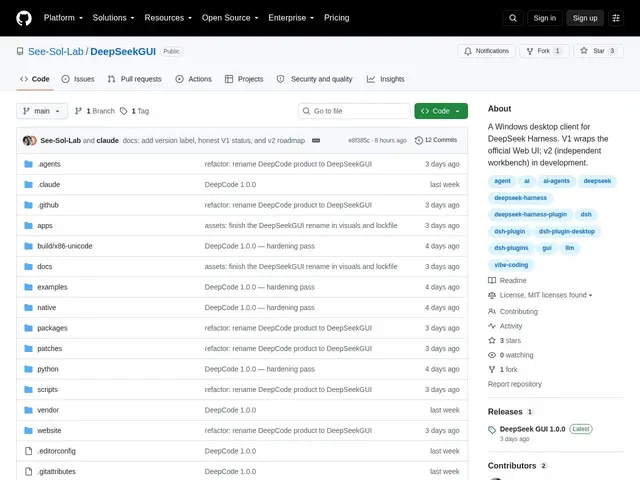
Description
DeepSeekGUI takes DeepSeek's open-source AI coding agent — normally accessed through a web browser — and packages it as a proper Windows desktop application, the way you'd install any other program. That matters because DeepSeek's agent can read your code, edit files, run terminal commands, and even browse the web on your behalf; having it live as a native app with its own window, system tray icon, and one-click installer feels more like using a real development tool and less like keeping a browser tab open. Importantly, this is a fan-built wrapper, not an official DeepSeek release — the developers say so explicitly in their documentation, and you'll still need your own paid DeepSeek API key (or another OpenAI-compatible provider) to actually use it.
Technically, it bundles the official DeepSeek Harness runtime and Web UI inside a desktop shell (TypeScript/Node.js, pnpm workspace), adding a native installer, system tray integration, and a bilingual English/Chinese interface on top. Safety-wise, it runs sandbox-by-default: every file edit or tool call needs your explicit approval unless you opt into full autonomous access. Extra features include an integrated Edge-based browser so you can watch the agent navigate the web in real time, vision support for image inputs, workspace/folder session management, and compatibility with Harness plugins. The upstream Harness code is MIT-licensed; DeepSeekGUI's own original components use the more restrictive PolyForm Perimeter License 1.0.1. It's currently at V1.0, a wrapper around the official Web UI, with an independent V2.0 desktop interface in development.
💬 Our review
The short version: a useful convenience wrapper if you already use DeepSeek's coding agent and want it as a proper Windows app instead of a browser tab, but it's a tiny, unofficial, unsigned side project, so treat it as a convenience layer, not a trusted vendor product.
DeepSeekGUI doesn't compete directly with Claude Code, Cursor, or VT Code as an agent in its own right — it's a distribution/packaging layer on top of DeepSeek's own official Harness runtime, closer in spirit to a community-built desktop shell than a competing coding agent. Its real strength is convenience: a proper installer, system tray presence, and an integrated browser you can watch the agent use, which the plain web UI doesn't offer. The real weaknesses are trust and maturity — only 3 GitHub stars, 1 fork, no code signing (the README itself recommends verifying file hashes before installing an .exe from an unofficial source), and a restrictive PolyForm Perimeter license on its own code that blocks competing commercial use. You're also paying twice, conceptually: the app is free, but you need your own metered DeepSeek (or OpenAI-compatible) API key to do anything with it, same as the official web UI. Unless you specifically want a native Windows shell around DeepSeek's agent, the official web UI or a more established tool like VT Code or Claude Code is the safer default.
💰 Pricing
📊 Global score
🤖 AI-enriched data
DeepSeekGUI app is free to download; upstream Harness code is MIT, DeepSeekGUI's own code uses PolyForm Perimeter License 1.0.1 (free for personal/educational/research/internal business use, restricts competing commercial use). Requires a separately paid DeepSeek API key or OpenAI-compatible provider key — API usage costs are not included.
Pros
Free to download, native Windows installer with system tray integration
Sandbox-by-default approval gating for file edits and tool calls
Integrated Edge-based browser to watch the agent navigate the web live
Built on DeepSeek's real, official open-source Harness runtime
Cons
Not an official DeepSeek product — independently built and maintained by a tiny team
Very small project: 3 GitHub stars, 1 fork, no code signing on the installer
Requires a separate paid DeepSeek (or OpenAI-compatible) API key to function
Windows-only; V1.0 is just a wrapper around the existing official Web UI