Daily Briefing
An open-source AI agent that researches your chosen topics every morning and emails you a written news briefing, running entirely for free on GitHub Actions with no server to maintain.
🔗 Visit Daily Briefing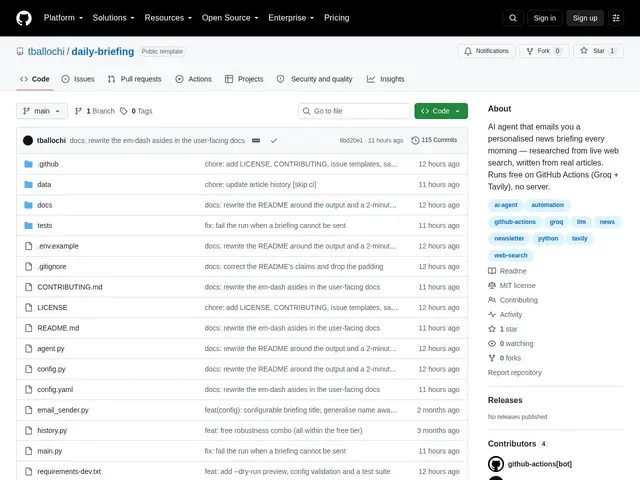
Description
Most people either drown in news apps and social feeds or give up on staying informed altogether. Daily Briefing is a small robot researcher you set up once: tell it which topics you care about (say, a technology, a company, or a hobby), and every morning it goes out, searches for the freshest real articles on those topics, reads them, and writes you a short plain-English briefing delivered straight to your inbox — like a personal newspaper that only covers what you asked for and never repeats yesterday's stories.
Technically, it's an open-source Python 3.11+ agent that runs on a schedule inside GitHub Actions, so there's no server to rent or maintain. It uses the Tavily search API to pull real, freshly-published articles (the agent is built to only summarize what it actually finds and strip out anything it can't verify), then a Groq-hosted language model (openai/gpt-oss-120b, with automatic fallback models if one is deprecated) writes the summary. It tracks previously covered URLs and headlines to avoid repeating stories, and sends the final briefing via Gmail SMTP. Setup is a guided CLI (--setup) plus a --dry-run preview mode, and everything — API keys included — stays inside the user's own repository and free-tier accounts (Groq, Tavily, GitHub Actions), so no company is collecting your data or upselling a paid tier.
💬 Our review
The short version: Daily Briefing is a well-built, genuinely free way to get an AI-written news digest on exactly the topics you pick, provided you're comfortable setting it up yourself via GitHub and a couple of free API keys.
Compared to consumer news-digest products like Feedly AI or paid newsletter-curation services, Daily Briefing trades convenience for total control and zero cost — there's no subscription, no ads, and no company reading your reading habits, because it runs in your own GitHub Actions and your own API accounts. The trade-off is real setup friction: this isn't a hosted SaaS you sign up for in thirty seconds, it's a CLI tool aimed at people who don't mind editing config files and generating a couple of free API keys (Groq, Tavily). The grounding safeguards (filtering fabricated links, deduping by URL/headline) are a genuinely good design choice that a lot of AI-summary tools skip, and relying on generous free tiers (Tavily's 1000 searches/month comfortably covers daily use) keeps it sustainable long-term. For a non-technical user wanting a daily digest, a hosted product like Feedly is simpler; for a developer who wants full control and zero recurring cost, Daily Briefing is hard to beat on value since there's genuinely nothing to pay.
💰 Pricing
📊 Global score
🤖 AI-enriched data
Completely free and open source (MIT license); runs on free tiers of Groq, Tavily, and GitHub Actions, no paid tier exists.
Pros
Genuinely free - no paid tier, runs on free API tiers
Grounded summaries - filters fabricated content, only uses real search results
No server to maintain - runs on GitHub Actions cron
API keys and data stay in your own repo, nothing sent to third parties
Cons
Requires technical setup - GitHub, API keys, CLI config, not a plug-and-play consumer app
Depends on free-tier limits of Groq and Tavily (1000 searches/month)
No web or mobile app - delivery is email only
No built-in UI for managing topics beyond editing config