Toolchestrator
Lets a small internal tool someone built with AI on their own laptop stay right there, while teammates use it from a browser through a shared hub — no redeploying, no migrating it to real infrastructure.
🔗 Visit Toolchestrator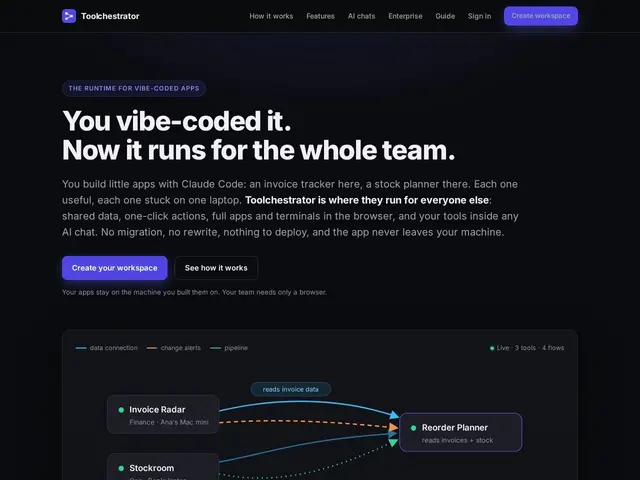
Description
AI coding assistants have made it trivially easy for one person to "vibe code" a small internal app — a dashboard, a data lookup tool, a quick automation — in an afternoon. The catch is that it usually only runs on that person's laptop, so sharing it with a teammate means either rebuilding it properly with real hosting and auth, or just not sharing it at all. Toolchestrator is built specifically to remove that step: the tool keeps running exactly where it was built, and the hub gives teammates a browser-based window into it, without anyone migrating code or setting up servers.
Technically, the connection from the local machine to the hub is outbound-only, so nothing has to be exposed or port-forwarded on the developer's network. Once connected, teammates get browser-based access with full app and terminal streaming, shared queryable data with field-level dependency tracking, and one-click execution of specific actions from a dashboard rather than needing to open the whole app. It also integrates with AI assistants through the Model Context Protocol (MCP), plus pipeline orchestration, change alerts, an activity audit trail, and granular per-person access controls — the governance layer that IT/security teams will care about once "shadow AI tools" start spreading informally across a company. Client libraries are open source (MIT) on PyPI and npm, though the hub itself is still in an early, free onboarding phase with commercial pricing not yet fixed.
💬 Our review
The short version: Toolchestrator is solving a real and fairly new problem — AI-built tools that are useful but stuck on one person's machine — and its outbound-only, no-redeploy approach is a genuinely clever way to avoid the usual "just host it properly" advice, but it's an early-stage product with undecided pricing, so today's free access won't necessarily reflect tomorrow's cost.
The access-control and audit-trail features suggest the team understands this needs to satisfy IT/security concerns, not just developer convenience, which is the right instinct — a tool that lets random locally-built apps reach teammates is exactly the kind of thing that becomes a compliance headache if it ships without permissions and logging. Compared to the alternative of just properly deploying an internal tool (with something like Retool, Windmill, or a small hosted app on Replit), Toolchestrator's pitch is speed and zero migration, at the cost of the tool's uptime being tied to one person's laptop staying on and connected — worth it for quick internal utilities, less so for anything that needs to be reliably available. Worth trying now while it's free and onboarding is open; worth re-evaluating once real pricing lands, since "how much does keeping a laptop-hosted tool alive for the team cost" is a genuinely different question from typical SaaS pricing.
💰 Pricing
📊 Global score
🤖 AI-enriched data
Free during early onboarding phase. Commercial pricing model not yet fixed, to be offered case-by-case to interested teams.
Pros
No redeployment needed — tool stays on the original machine
Outbound-only connection, nothing exposed on the developer's network
Browser access for teammates with no install
Access controls and audit trail built in from the start
MCP integration for AI-assistant workflows
Open-source client libraries (MIT)
Cons
Tool availability depends on the host machine staying on and connected
Commercial pricing not yet determined, could change significantly
Early-stage product without a long production track record
Not a substitute for properly hosting tools that need guaranteed uptime