Assembly Studio
No-code app builder aimed at accounting firms, agencies, and consultancies — describe the app you need in plain English and get a working, hosted client portal or internal tool without hiring a developer.
🔗 Visit Assembly Studio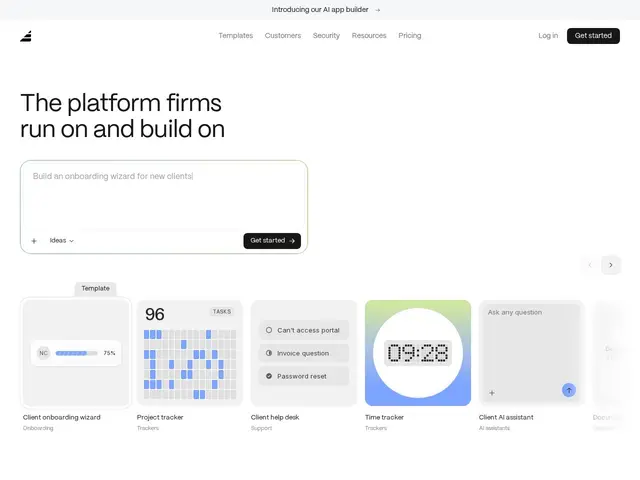
Description
Most professional service firms — accounting practices, agencies, consultancies — eventually need some kind of custom app: a client intake form, a status portal, an internal tracker, but hiring developers for that is usually overkill for a firm whose actual business is accounting or consulting, not software. Assembly Studio's approach is to let someone at the firm just describe what they want in plain English and get back a real, working app rather than a mockup.
What comes out the other end isn't a bare prototype: authentication, branding, user permissions, and hosting are all handled automatically, so the app is genuinely deployable, not just a demo. There are 20+ templates covering common professional-service workflows to remix instead of starting from a blank page, it connects to third-party tools you likely already use, and apps stay editable after launch — you can keep chatting with the builder to adjust the app as your workflow changes, rather than the app being frozen the moment it ships. It also supports white-labeled client portals with custom domains, which matters specifically for firms whose whole business model depends on presenting a polished, branded face to clients.
💬 Our review
The short version: Assembly Studio's specific focus on professional-service firms is its real differentiator — the built-in auth, branding, and white-labeling save real setup time for that exact use case — but the niche focus also means it's not a fit for public-facing consumer apps, and it's a newer entrant competing against far more general, battle-tested no-code platforms like Bubble and Retool.
💰 Pricing
📊 Global score
🤖 AI-enriched data
Free plan with build credits, no credit card required; paid tiers scale with number of apps and monthly build credits, adding white-labeling.
Pros
Purpose-built for professional-service firm workflows, not generic no-code
Auth, branding, permissions, and hosting all handled automatically
20+ templates for common professional-service use cases
Apps remain editable via chat after launch, no re-build needed
White-label client portals with custom domain support
Free plan available with no credit card required
Cons
Niche focus on professional-service firms limits general applicability
Not suited to public-facing consumer websites, only authenticated apps
Newer entrant vs mature, general-purpose platforms like Bubble and Retool
No self-hosting option — fully platform-dependent
Third-party integrations require going through their own authentication flow