Lawh.ai
An AI design generator that outputs real, layered files (editable text, exportable to Photoshop/Illustrator) instead of a flat image.
🔗 Visit Lawh.ai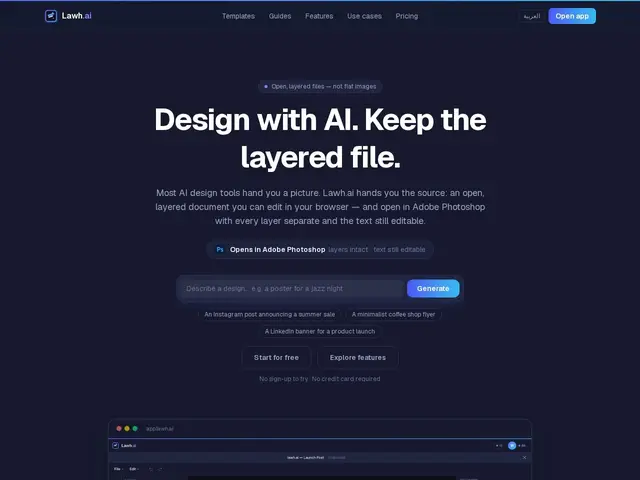
Description
Turning a rough idea into a finished graphic usually means either hiring a designer or fighting with Photoshop yourself. Most AI image generators skip that friction by handing you a flat picture instead — which looks great until you need to change one word or swap a logo, and discover there's nothing to edit. Lawh.ai tries to fix that gap: you describe what you want, and it builds a real, layered design you can keep editing afterwards, the same way you would in professional design software.
Concretely, Lawh.ai generates designs as separate, named layers (text, shapes, images) inside a browser-based editor, and exports to Photoshop (.psd, with layers and editable text intact) or Illustrator (.ai, in beta, with vectors preserved). It plugs into Claude for the generation step, supports uploading brand assets so outputs stay on-brand, and covers templates for social posts, flyers, presentations and print. Pricing is credit-based: a free plan gives 5 AI designs a month (plus 30 free Claude-connector designs), scaling up to Starter ($19/mo, 40 designs), Pro ($39/mo, 100 designs) and Studio ($99/mo, 250 designs) — every tier includes manual editing and PSD export.
💬 Our review
The short version: Lawh.ai's actual pitch isn't 'AI makes pretty pictures' — plenty of tools do that — it's that the output stays a real, editable file afterwards, which is the part most AI design generators quietly skip.
Against a flat-image generator like Midjourney or DALL-E, Lawh.ai's layered PSD/AI export is a genuine practical edge for anyone who needs to tweak copy or swap a logo after generation — that's normal work for marketers and social teams, and flat images make it painful. Against Canva's AI features, Lawh.ai is narrower (it doesn't try to be a full design suite with scheduling, brand kits and video) but goes deeper on the one thing it does: genuinely editable, layer-preserving AI output that professional designers can pick up in Photoshop or Illustrator without starting over. The credit-based pricing is reasonable at the low end (free tier plus 30 Claude-connector designs) but climbs fast if you're a heavy user — 100 designs for $39/month works out to roughly $0.39 per design, comparable to Canva Pro's flat fee but with a hard cap instead of unlimited use. Worth trying if layered, editable output actually matters to your workflow; overkill if you just need a one-off image.
💰 Pricing
📊 Global score
🤖 AI-enriched data
Gratuit : 5 designs IA/mois + 30 designs via le connecteur Claude. Starter 19 $/mois (40 designs), Pro 39 $/mois (100 designs), Studio 99 $/mois (250 designs).
Pros
Export reellement calque (.psd/.ai) au lieu d'une image plate
Texte editable preserve apres generation
Integration Claude + upload d'assets de marque
Cons
Modele a credits : cout par design qui grimpe vite en usage intensif
Export Illustrator encore en beta
Moins complet qu'une suite comme Canva (pas de planification, pas de video)