Snowtask
A free terminal (TUI) app for inspecting and monitoring Snowflake Tasks without leaving the command line.
🔗 Visit Snowtask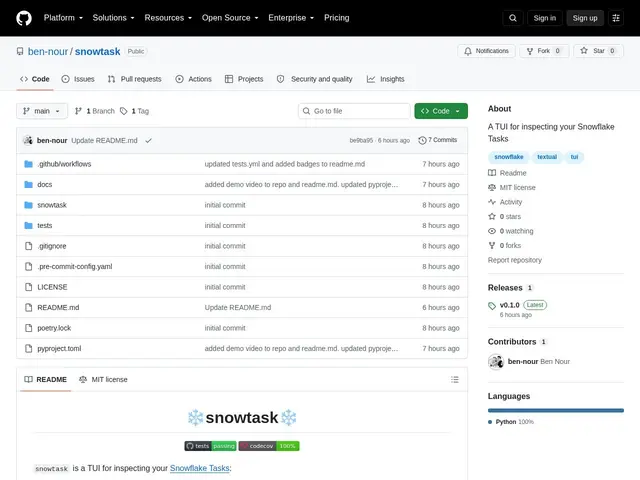
Description
Checking on Snowflake Task status normally means writing and re-running SQL queries in the Snowflake web console every time you want to see what's scheduled, what ran, or what failed. Snowtask turns that into an interactive terminal app: it queries Snowflake directly and displays task details and execution history in a live, navigable TUI, so database administrators and developers can monitor tasks without switching to a browser.
It supports customizable table columns via YAML configuration, multiple authentication methods (SSO, password, OAuth), and refreshable data views. It's free and open source under the MIT license, aimed squarely at Snowflake users who prefer working from the terminal.
💬 Our review
The short version: a small, focused convenience tool for a specific audience — if you already work in Snowflake from the terminal and are tired of tabbing over to the web console to check task status, this saves real time.
There's no dedicated competitor doing exactly this; the alternative is simply the Snowflake web console's native task monitoring UI, or writing your own SQL queries by hand each time. Snowtask doesn't replace Snowflake's own tooling so much as give terminal-native users a faster way to access the same information. Being free, open source, and narrowly scoped makes it low-risk to try if you fit the target audience; it has essentially nothing to offer if you don't already work with Snowflake.
💰 Pricing
📊 Global score
🤖 AI-enriched data
Open source sous licence MIT.
Pros
TUI interactive pour les Tasks Snowflake, sans quitter le terminal
Colonnes personnalisables via configuration YAML
Supporte SSO, mot de passe et OAuth
Gratuit et open source (MIT)
Cons
Outil de niche, utile seulement si vous utilisez déjà Snowflake
Fait doublon avec la console web native de Snowflake
Petit projet, support communautaire limité