Canvas Chat
A branching, canvas-based chat interface for comparing responses across Claude, GPT, Gemini, and other LLMs.
🔗 Visit Canvas Chat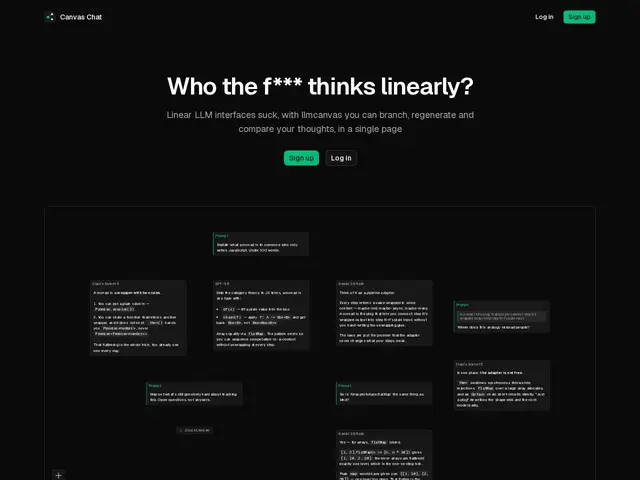
Description
Regular AI chat apps force every conversation into one long scrolling thread, which gets messy fast the moment you want to explore two different angles on the same question or compare how different AI models answer it. Canvas Chat throws out the thread entirely and puts your conversation on a visual, zoomable canvas instead — you can branch off a message into a new direction without losing the original thread, and see everything laid out as a map instead of a scroll.
It supports side-by-side comparison of responses from Claude, GPT, Gemini, and any model available through OpenRouter, which makes it useful for people who want to see how different models handle the same prompt without switching tabs. Branches, collapsible nodes, and drag/zoom navigation are aimed at research and brainstorming use cases where a linear chat log actively gets in the way of thinking.
💬 Our review
The short version: if you've ever lost track of a good idea because it got buried three screens down in a chat thread, the canvas format solves a real problem — but it's a niche interaction model that won't appeal to everyone.
Compared to standard single-thread interfaces (ChatGPT, Claude.ai) or other multi-model hubs (TypingMind, Poe), Canvas Chat's differentiator is purely the branching/canvas UI rather than unique model access — you'll still need API keys or subscriptions for the underlying models. Pricing isn't stated on the homepage, which makes it hard to judge value without trying it. Best suited to people doing open-ended research or comparison work, not straightforward day-to-day chat.
💰 Pricing
📊 Global score
🤖 AI-enriched data
Aucune tarification affichée sur la page d'accueil.
Pros
Canevas ramifié évite de perdre le contexte dans un long fil
Comparaison côte-à-côte entre Claude, GPT, Gemini, OpenRouter
Cartographie visuelle adaptée à la recherche/brainstorming
Nœuds repliables pour garder les sessions complexes lisibles
Cons
Tarification non communiquée
Nécessite ses propres accès/abonnements aux modèles sous-jacents
Interface en canevas demande un temps d'adaptation vs un chat classique