Masker
A macOS application for permanent, local PDF redaction with automatic PII detection and batch processing, no cloud uploads.
🔗 Visit Masker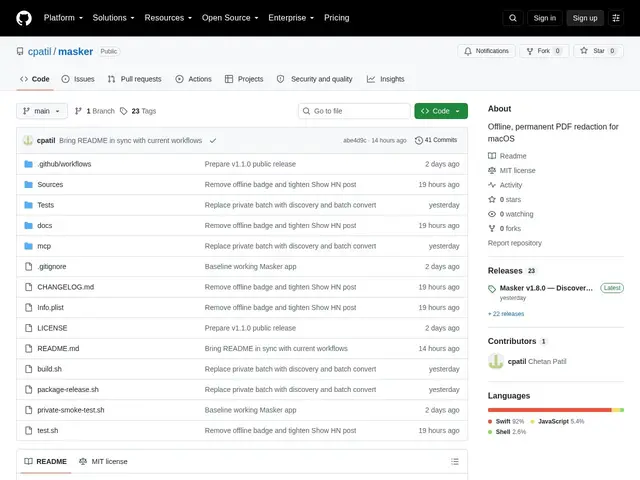
Description
When you black out sensitive information in a PDF using many common tools, the underlying text often stays exactly where it was — anyone can select it, copy it, or extract it with a script, even though it looks hidden. Masker is a free macOS app built to close that gap: it detects sensitive text like Social Security numbers, tax IDs, emails, and phone numbers, lets you search for anything else you want to hide, and then permanently rasterizes the page into a flat image. Once a document is processed, there is no text layer left underneath the black box, and nothing is ever uploaded to a server — everything happens on your own Mac.
Under the hood, Masker is a native Swift app built with SwiftUI, PDFKit, Vision, and Core Graphics, with no third-party dependencies. Detection combines case-insensitive pattern matching with word-boundary checks and automatic recognition of SSNs, EINs, emails, and phone numbers, backed by OCR caching for scanned pages. A Discovery Mode recursively scans folders to find PDFs containing sensitive patterns, and batch conversion applies redactions across many files at once. Mask sets can be exported and imported as generic JSON, and an optional MCP companion lets AI workflows drive the redaction process programmatically.
💬 Our review
The short version: Masker gets the core redaction problem right — permanently rasterizing PDFs instead of just painting over text that's still extractable underneath — and doing it fully offline on macOS is a genuine privacy win. But it's a brand-new project with zero stars and no track record yet, so treat it as promising, not battle-tested.
Technically, the approach is sound: rasterization removes the underlying text layer entirely, which is the actual failure mode of naive redaction tools, and the automatic PII detection (SSNs, EINs, emails, phone numbers) plus case-insensitive pattern search covers the common real-world redaction needs of financial advisors and tax professionals. The Swift-native stack (SwiftUI, PDFKit, Vision, Core Graphics) with no external dependencies is a good sign for auditability and long-term maintenance risk. That said, with only 41 commits and no community usage yet, there's no track record on edge cases like complex layouts, image-based PDFs, or large batch jobs, and no external security audit. Worth watching, not yet worth betting sensitive workflows on without your own testing.
💰 Pricing
📊 Global score
🤖 AI-enriched data
Gratuit, licence MIT.
Pros
Caviardage permanent par rasterisation : le texte sous le masque n'existe plus, contrairement au simple masquage visuel.
100% local sur macOS, aucun upload vers le cloud — confidentialité totale des documents.
Détection automatique des données sensibles (SSN, EIN, emails, téléphones) en plus de la recherche manuelle.
Gratuit et open source (licence MIT), sans dépendance tierce, avec mode batch et scan récursif de dossiers.
Cons
Projet extrêmement jeune : 0 star GitHub, aucun fork, aucune issue, tout juste sorti d'un post Show HN.
Aucun historique d'usage réel ni retour communautaire pour valider la fiabilité sur des cas complexes.
Disponible uniquement sur macOS, aucune version Windows/Linux.
Pas d'audit de sécurité externe connu à ce stade.