Code+=AI
AI-assisted web application development platform that lets users build, deploy, and monetize web apps with AI assistance and earn from user interactions.
🔗 Visit Code+=AI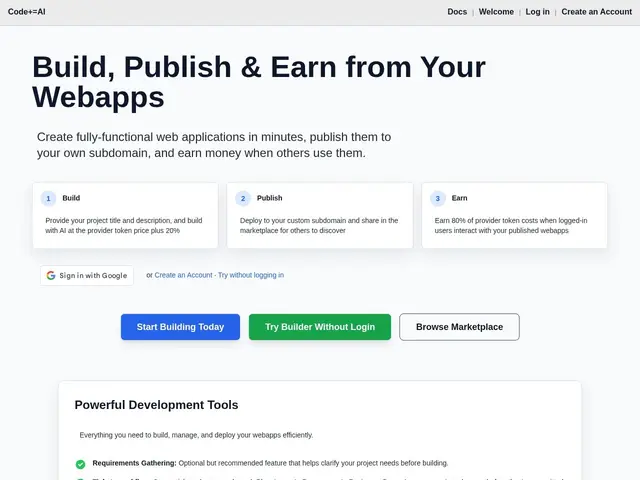
Description
Code+=AI is a platform that lets anyone with an idea turn it into a working web app, even without much coding experience. You describe what you want, the AI helps plan it out into a to-do list of tasks, and then helps write the actual code inside a browser-based editor where you can see your app update live as it's built. Think of it as having a junior developer and a project manager rolled into one, sitting inside your browser. Once your app is live, you can even earn money when other people use it.
Under the hood, Code+=AI runs a ticket-based workflow (Planning, In Progress, In Review, Done) to structure AI-assisted development, paired with a browser-based code editor with live preview and Git integration that auto-commits changes. The backend runs on Flask inside Docker containers, with SQLite3 for data storage and support for Python package installation. Frontend options include JS/HTML/CSS, with an experimental React mode still explicitly labeled beta and not fully functional. A built-in marketplace lets developers publish apps, build public profiles, and track earnings — the platform's revenue-share model pays out 80% of the token costs generated by logged-in users interacting with a published app.
💬 Our review
The short version: Code+=AI is an interesting bet — an AI app builder that pays you when people use what you build — but it ships with a broken React frontend and an unproven monetization model. Fine for tinkering, risky if you need a production-ready app today.
Compared to Bolt.new and Lovable, which both offer polished, framework-complete AI scaffolding (including working React), Code+=AI's beta React support is a real gap for anyone who doesn't want to build in plain JS/HTML/CSS. Replit remains the safer choice for teams needing a mature, battle-tested cloud IDE with reliable deployment. The $5 free credit is a nice trial hook, but the pay-per-token revenue-share model is unusual and harder to budget against than the flat subscriptions of its rivals. Worth trying for the earnings angle, not yet a default pick for serious app development.
💰 Pricing
📊 Global score
🤖 AI-enriched data
Compte gratuit avec 5$ de crédit de démarrage. Plans payants Personal/Pro avec base de données, projets always-on et publication. Modèle de revenus : les développeurs touchent 80% des coûts de tokens consommés par les utilisateurs connectés à leur app.
Pros
Workflow en tickets (Planning/En cours/En revue/Terminé) qui structure le développement assisté par IA
Éditeur de code intégré au navigateur avec aperçu en direct et intégration Git automatique
Modèle de monétisation original : jusqu'à 80% des revenus tokens reversés aux développeurs
Support Docker, gestion de base de données et installation de packages Python inclus
Cons
Frontend React encore en beta et explicitement non fonctionnel selon l'éditeur lui-même
Modèle de revenus basé sur la consommation de tokens, difficile à prévoir comparé à un abonnement fixe
Écosystème et communauté nettement plus restreints que Replit ou Bolt.new
Base de données limitée à SQLite3, peu adaptée à des applications à fort trafic