Scanopy
If you've ever had to draw your company's network layout in Visio or draw.io, you already know the problem: the diagram is out of date the moment someone adds a new server or switch, and nobody rememb
🔗 Visit Scanopy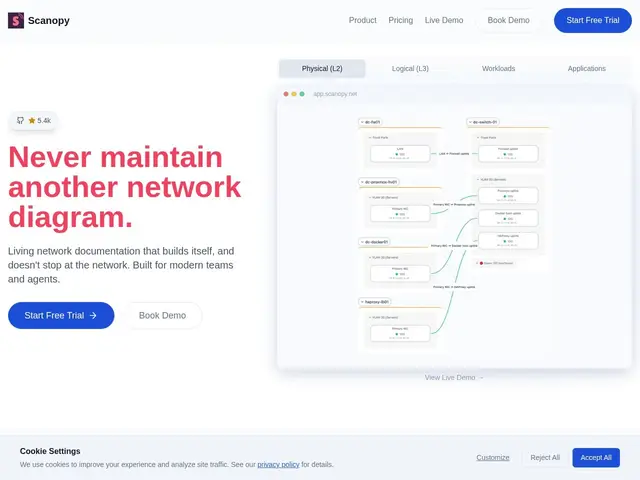
Description
If you've ever had to draw your company's network layout in Visio or draw.io, you already know the problem: the diagram is out of date the moment someone adds a new server or switch, and nobody remembers to update it. Scanopy fixes that by scanning your actual network and generating the diagram for you, then keeping it current automatically on a schedule instead of relying on someone to redraw it by hand.
Scanopy deploys a single lightweight scanner that discovers hosts using SNMP, LLDP, and ARP, maps out Layer 2 and Layer 3 topology, and fingerprints 250+ services running on each host — including Docker containers — turning that into four live documentation views instead of one static picture. It's licensed AGPL-3.0 for the free, self-hosted Community Edition, with a commercial self-hosted tier that lifts caps and a cloud plan starting at $11.99/month for teams that don't want to run it themselves. It's aimed at IT operations, managed service providers, and security/compliance teams who need to prove what's actually running on their network, not what a diagram from eighteen months ago says is running.
💬 Our review
The short version: if your network diagram is stale (or doesn't exist), Scanopy's free community edition alone is probably worth installing — the value is in the automation, not the price tag.
Against NetBox, the closest well-known open-source comparison, Scanopy is scan-first rather than manual-entry-first: NetBox is a source-of-truth database you populate yourself, while Scanopy actively discovers your network and keeps the picture current without you maintaining records. Against a general monitoring/APM tool, Scanopy is narrower but sharper — it's specifically about topology and service inventory, not metrics dashboards or alerting. The AGPL-3.0 license on the free Community Edition is worth noting for anyone building a commercial service around it (copyleft implications apply), which is exactly why a commercial license exists for teams that can't comply with that. Accuracy also depends on your network actually supporting SNMP/LLDP/ARP discovery and being configured to allow it, so heavily segmented or locked-down networks may need extra setup work, and very large networks can make the topology view genuinely busy. For any IT ops or MSP team maintaining network documentation by hand today, Scanopy's free tier is a clear time-saver worth trying before considering the paid cloud plan.
💰 Pricing
📊 Global score
🤖 AI-enriched data
Édition Communautaire gratuite et open source (AGPL-3.0). Édition auto-hébergée commerciale sans plafonds. Cloud à partir de 11,99$/mois.
Pros
Élimine la maintenance manuelle des diagrammes
Documentation réseau toujours à jour automatiquement
Découverte multi-couches (topologie, services, workloads)
Détecte 250+ services par hôte
Détection des conteneurs Docker incluse
Cons
Nécessite un accès réseau et des identifiants SNMP/LLDP/ARP corrects
Précision dépendante de la configuration des équipements réseau
L'édition communautaire a des limites de capacité
Visualisation plus complexe sur les très grands réseaux