nodeterm
A node-based terminal manager that lays out your terminal and AI coding agent sessions on an infinite canvas instead of stacked tabs, with tmux persistence and a built-in kanban board.
🔗 Visit nodeterm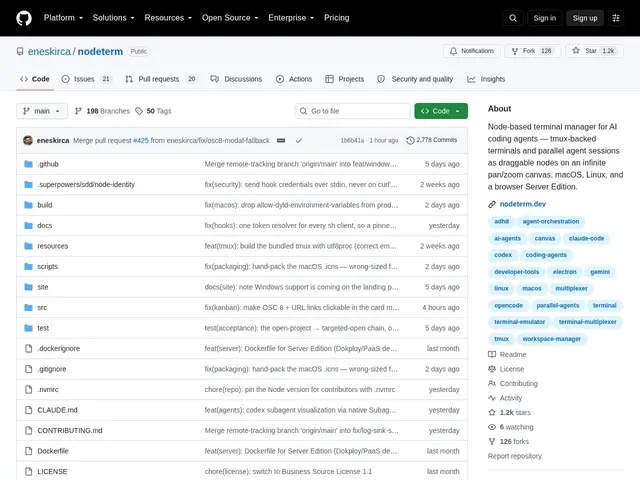
Description
Running several AI coding agents at once — one refactoring a module, another writing tests, a third reviewing a PR — quickly turns into a mess of terminal tabs you can't tell apart. nodeterm takes a different approach: instead of a linear stack of tabs, it puts each terminal or agent session as a draggable node on an infinite canvas, so you can arrange your work spatially and see everything at a glance.
Sessions are backed by tmux, so they survive restarts and disconnects, and nodeforge adds a kanban board view for tracking tasks alongside the live terminals. It supports multiple AI coding agents (Claude Code, Gemini, GitHub Copilot, and custom setups), on-device voice dictation via Whisper, remote SSH access, GitHub Issues integration, a git/branch/worktree interface, and even an iOS companion app for checking on sessions remotely. It's available as a desktop app for macOS and Linux, or as a self-hosted browser edition, and is released under the Business Source License 1.1, which converts to MIT after four years — free to use and modify, with commercial licenses available if you're building a competing product.
💬 Our review
The short version: if you're already running multiple AI coding agents in parallel and finding regular terminal tabs impossible to keep straight, nodeterm's spatial, node-based layout is a genuinely different (and free) way to organize that chaos — though the canvas paradigm itself is a taste some developers will love and others will find unnecessary.
Compared to a traditional terminal multiplexer setup like tmux or iTerm2 tabs, nodeterm's advantage is visual: you can see several agent sessions at once, spatially arranged, rather than remembering which tab is which. Compared to newer AI-agent-specific tools that add a chat sidebar to an existing IDE, nodeterm goes further by rethinking the terminal layout itself. Since it's free to use under the Business Source License (only commercial competitors need a paid license), there's no financial reason not to try it if the spatial canvas idea appeals to you — the real cost is the learning curve of a workflow that's unlike anything else in the terminal-manager space.
💰 Pricing
📊 Global score
🤖 AI-enriched data
Gratuit et modifiable sous licence Business Source 1.1 (bascule en MIT après 4 ans). Licence commerciale requise uniquement pour un produit concurrent.
Pros
Interface spatiale à nœuds pour organiser plusieurs sessions à la fois
Sessions persistantes via tmux, survivent aux redémarrages
Support multi-agents IA (Claude Code, Gemini, Copilot)
Tableau kanban intégré aux sessions terminal
Application compagnon iOS pour suivi à distance
Cons
Licence Business Source restreint l'usage commercial concurrent avant bascule en MIT
Édition navigateur nécessite un auto-hébergement
Paradigme d'interface spatiale avec courbe d'apprentissage
Application mobile limitée à iOS uniquement