Superflow
AI review agents that sweep every page of a website before launch and catch dead links, typos, broken forms, and brand-guideline slips — the QA work a human normally clicks through by hand.
🔗 Visit Superflow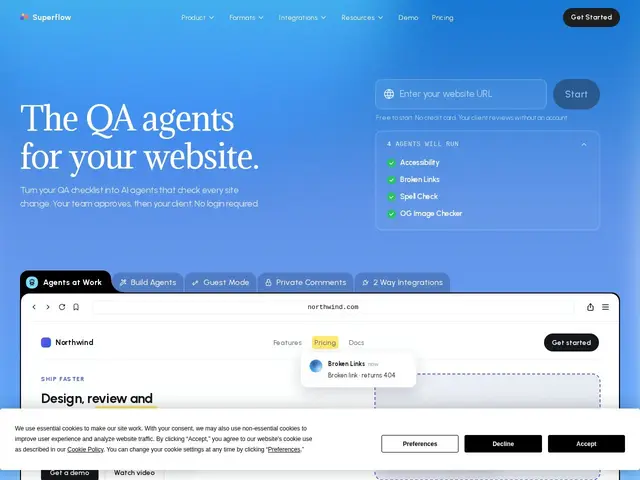
Description
Before a website or landing page goes live, someone usually has to click through every page checking for dead links, typos, forms that silently fail, and layouts that break a brand guideline nobody wrote down anywhere formal. It's tedious, easy to skip under deadline pressure, and the kind of work that eats an afternoon before a launch. Superflow turns that checklist into a team of AI agents: you paste in what you already check for, and it sweeps every page — desktop and mobile — pinning every finding directly on the live site.
Superflow works with Webflow, Framer, WordPress, Shopify, Next.js, Netlify, and more, and agencies report catching roughly 90% of what they'd otherwise find by hand. The product ships four pre-built agents out of the box (accessibility, broken links, spelling, and Open Graph image checks), plus a client-review mode with shareable links that need no sign-up — a detail clearly aimed at agencies who need non-technical clients to approve fixes. Pricing runs on an AI-credit model: a free Starter tier (60 credits/month, one project) up to Growth ($24-29/month) and Scale ($28-34/month) tiers with more storage and private comments, plus custom Enterprise with SSO and a REST API.
💬 Our review
The short version: if you or your agency ship websites regularly and QA is currently "someone clicks through it before launch," Superflow automates that pass and is genuinely useful — the free tier is generous enough to try on a real project before paying anything.
Compared to manual visual-feedback tools like BugHerd, Markup.io, or Usersnap — which mostly help humans annotate a site they're already looking at — Superflow's pitch is different: its agents do the initial sweep for you, and a human only steps in for the client-review layer. That makes it less a bug-tracker replacement and more a pre-launch QA replacement, so it complements rather than competes with those tools if you already use one for client feedback. At $24-34/month for a small team once you outgrow the free tier, it's priced like most SaaS review tools — reasonable if it genuinely saves the hours of manual click-through it claims to, harder to justify if your site rarely changes. The jump from free (1 project, 1 seat) to Growth is steep for a solo freelancer, so it's most clearly worth it for agencies running QA across several client sites at once.
💰 Pricing
📊 Global score
🤖 AI-enriched data
Gratuit : 60 crédits IA/mois, 1 projet, 1 Go de stockage. Growth : 24$/siège/an ou 29$/mois. Scale : 28$/siège/an ou 34$/mois. Entreprise : sur devis (SSO, API). Essai gratuit 10 jours sans carte.
Pros
Palier gratuit généreux (60 crédits/mois) sans carte bancaire requise
Agents IA automatisent la revue au lieu de simplement l'annoter
Test multi-appareils (bureau, mobile, tablette) inclus partout
Mode revue client par lien partagé, sans compte à créer
Nombreuses intégrations (Asana, Monday.com, Webflow, WordPress, Shopify)
Cons
Saut de prix important entre le gratuit et le palier Growth
Modèle à crédits IA à apprendre à doser selon l'équipe
Palier gratuit limité à 1 projet et 1 siège
Tarif Entreprise non transparent, sur devis uniquement