Dockhand
A self-hosted Docker management app with a visual Compose editor, Git-based deployments, and vulnerability scanning — for anyone tired of managing containers from bare docker CLI or Portainer.
🔗 Visit Dockhand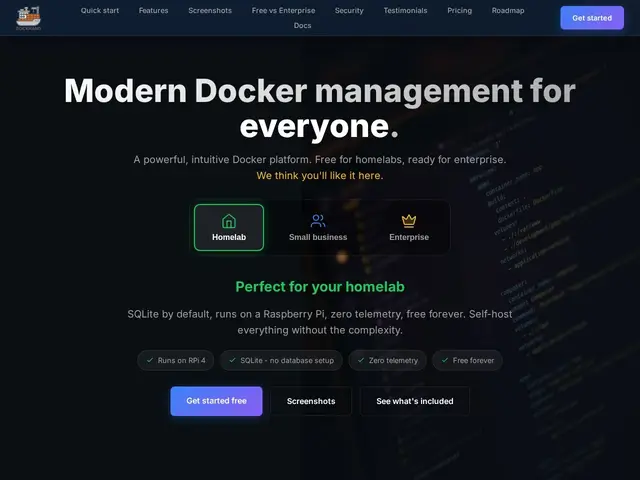
Description
If you run Docker containers on your own server or a Raspberry Pi at home, you've probably hit the point where typing `docker ps` and `docker logs` from memory stops scaling — you want a real dashboard to start, stop, and inspect containers without SSH-ing in every time. Dockhand is that dashboard: a self-hosted web app for managing Docker containers and Compose stacks, built to run on anything from a homelab Raspberry Pi to a small business's production servers.
Beyond basic start/stop/restart controls, Dockhand adds a visual Compose stack editor, Git repository integration with webhooks (so pushing to your repo can trigger a redeploy), vulnerability scanning via Grype or Trivy, multi-environment support across several Docker hosts, a built-in terminal and file browser, and a Prometheus metrics endpoint. It ships under the Business Source License 1.1, which converts to Apache 2.0 in 2029 — the Free edition covers unlimited environments and core features with no telemetry, while SMB ($499/host/year) and Enterprise ($1,499/host/year) tiers add commercial support, LDAP/AD, RBAC, and audit logging.
💬 Our review
The short version: if you're managing Docker containers by hand or with an aging tool like Portainer, Dockhand's free tier is a genuinely capable modern replacement — and you don't need to pay anything unless you need enterprise compliance features.
Compared to Portainer, the long-standing default in this space, Dockhand's differentiators are the built-in Git-driven redeploys and vulnerability scanning baked into the free tier rather than gated behind a business license — Portainer's equivalent CI/CD and security features typically live in its paid Business Edition. Compared to lighter tools like Yacht or Dozzle, Dockhand is more full-featured out of the box (compose editing, multi-host, scanning) at the cost of being a heavier install. The commercial tiers ($499-$1,499/host/year) are steep if you're a solo homelabber, but make sense for a small business that needs audit logging and LDAP/SSO for compliance reasons — for everyone else, the free tier with unlimited environments is the better starting point, and there's no obvious reason to pay unless you specifically need those enterprise controls.
💰 Pricing
📊 Global score
🤖 AI-enriched data
Édition gratuite : environnements illimités, fonctionnalités clés, à vie. Édition PME : 499$/hôte/an (support commercial). Édition Entreprise : 1499$/hôte/an (LDAP/AD, RBAC, audit). Licence Business Source 1.1, bascule en Apache 2.0 en 2029.
Pros
Édition gratuite déjà complète : environnements illimités, sans télémétrie
Scan de vulnérabilités (Grype/Trivy) inclus gratuitement
Déploiements pilotés par Git avec webhooks (GitOps)
Compatible matériel modeste (Raspberry Pi)
Éditeur visuel de stacks Docker Compose
Cons
Tarifs Entreprise élevés au-delà du gratuit (499-1499$/hôte/an)
Ne gère que Docker, pas Kubernetes
Fonctions LDAP/AD et audit réservées au palier le plus cher
Support communautaire uniquement sur le palier gratuit