fd
A fast, user-friendly alternative to the 'find' command for searching files and directories, with simpler syntax and sensible defaults like ignoring hidden files and respecting .gitignore.
🔗 Visit fd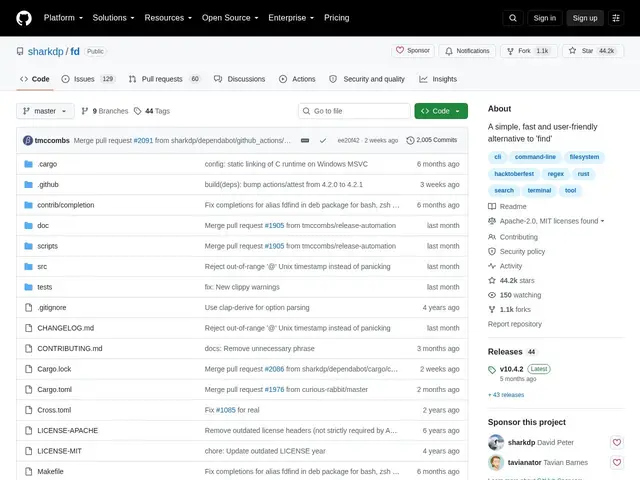
Description
The classic 'find' command is powerful but its syntax is notoriously unfriendly — remembering the right combination of flags to just 'find files named X' takes more thought than it should. fd fixes that by making the common case simple: type a name or pattern and it searches, using regex by default, while automatically skipping hidden files and anything excluded by .gitignore, which is what you almost always want anyway.
fd uses parallelized directory traversal for speed, colored output that mirrors ls-style file-type coloring, smart case-sensitivity (case-insensitive unless you type an uppercase letter), and supports both regex and glob patterns. It's written in Rust, free and open source under the Apache License 2.0, with 44.2k GitHub stars and very active development, including translations into multiple languages.
💬 Our review
The short version: fd gives you 90% of what you use 'find' for, with syntax you can actually remember, and it's noticeably faster thanks to parallelized search.
Against find, the tradeoff is intentional: fd sacrifices some of find's more obscure, powerful flags in exchange for sane defaults and much simpler everyday syntax — for the common 'search for a file by name or pattern' use case, that trade is almost always worth it. Against ripgrep, which searches file contents, fd searches file and directory names — the two tools are complementary rather than competing, and are often installed together. Respecting .gitignore by default is a small detail that saves real time in large codebases, since you're not wading through node_modules or build artifacts in every search. For day-to-day file finding, it's a clear productivity upgrade over find, and it's completely free.
💰 Pricing
📊 Global score
🤖 AI-enriched data
Projet open source (licence Apache 2.0), aucune offre payante
Pros
Syntaxe simple et intuitive comparée à find
Recherche parallélisée, nettement plus rapide
Ignore les fichiers cachés et respecte .gitignore par défaut
Sortie colorée par type de fichier
44 200+ étoiles, développement très actif
Cons
Moins riche en options avancées que find, par choix de conception
Courbe d'apprentissage pour les habitués de find
Basé sur regex par défaut plutôt que sur des globs